



May 2026
Protecting Client Ad Campaigns From Bot Traffic
Agencies running paid advertising for clients face a quieter version of the click fraud problem. When you spend your own money on ads, you take the loss directly. When you spend a client's budget, you also take the credibility hit when the numbers don't match expectations. A campaign that should be performing but isn't can damage the relationship in ways that take months to repair. The cause is often the same. A significant chunk of paid clicks come from bots, click farms, and other invalid sources. The client doesn't see this in their reports. They see underperforming campaigns and start asking uncomfortable questions. For agencies, getting ahead of the issue is partly about results and partly about transparency. What Bot Traffic Looks Like in Client Accounts Across most agency portfolios, somewhere between 15 and 25 percent of paid ad clicks are invalid. The exact number varies by industry, by channel, and by how aggressive the client's targeting is. Display and partner network campaigns tend to face the highest fraud rates. Search ads face lower rates but higher cost-per-click, so the dollar losses can be comparable. The sources break down predictably. Automated bots generating clicks at scale. Click farms producing clicks that look human because they technically are. Repeat visitors who never convert. Low-quality placements where users tap by mistake. All of them charge the client's account. None of them deliver real prospects. Diagnosing Bot Traffic in a Client Account Compare clicks against meaningful engagement Pull your client's last 90 days of ad data. Look at the relationship between click counts and downstream actions: form views, scroll depth, return visits, conversions. If the click numbers have grown but engagement hasn't, the new traffic isn't real. Check time-of-day and geographic patterns Real users follow predictable patterns. Bot traffic doesn't respect business hours. If you're seeing heavy click activity at unusual times or from regions outside the client's target market, dig in. Audit search terms and placement reports Search terms reports show what queries triggered the client's ads. Placement reports show where the clicks came from. Both contain hidden waste that most agencies don't review weekly. Make it a habit. Look at conversion rates across campaign types If one campaign converts dramatically worse than similar campaigns targeting comparable audiences, the difference is often fraud-related rather than creative-related. The Practical Defence Stack Most agencies build protection in three layers. The first is manual: tight targeting, exclusion lists, opting out of partner networks where they don't deliver, weekly audits of search terms and placements. This catches the obvious waste and doesn't cost the client anything. The second layer is automated. There are tools built specifically for this category, and they've matured significantly over the past two years. They run alongside the ad platforms, intercept invalid traffic in real time, and block fraudulent clicks before they ever reach the client's daily budget. Resources on how to stop bot traffic on paid ads walk through the technical side of this. The approach is to insert a behavioural validation layer between the ad platforms and the incoming traffic. Every click gets analysed in real time. Suspicious patterns get blocked before they cost the client anything. The reporting shows exactly what was caught, which makes it possible to demonstrate value to the client and justify the protection cost. The third layer is reporting transparency. Agencies that show clients what's being blocked and what's being saved build a different kind of trust than agencies that hide the fraud problem entirely. Clients respond well to being told the truth about the channel, even when the truth is uncomfortable. What Better Protection Does for Agency Relationships Beyond the direct savings, fraud protection changes the dynamics of agency-client conversations. Performance discussions become more honest because the data is more accurate. Underperforming campaigns can be diagnosed properly rather than blamed on creative or audience. Scaling decisions get made on real numbers rather than inflated click data. There's also a competitive dimension. Agencies that treat fraud protection as standard service tend to retain clients longer and at higher margins. The ones that don't end up explaining why budgets keep growing without proportional results. As clients get more sophisticated about understanding what they're paying for, the agencies that proactively address fraud build trust that compounds across the entire portfolio of accounts. There's also a margin dimension worth mentioning. Most agencies operate on retainer or percentage-of-spend models. Recovering 15 to 20 percent of wasted ad spend doesn't just help the client. It improves the apparent return of the channel, which makes the agency relationship more defensible at the next renewal conversation. The economics of fraud protection favour the agency just as much as the client.For agencies thinking about how to differentiate in a market where everyone claims expertise in paid media, this is one of the simpler wins. The clients you've been struggling to scale might just need cleaner traffic to perform the way you both expected. The campaigns that look like they need new creative might actually just need new defence against the fraud that's been quietly distorting the data all along.

Apr 2026
What Are the Benefits of Web Hosting for Businesses?
Competing online requires more than just a website. It requires a dependable foundation that keeps the website operating smoothly at all times. Web hosting forms the foundation of any online presence, yet many business owners ignore its importance when shaping their digital strategy. Whether you run a small local shop or manage a growing e-commerce brand, the specific type of hosting you choose has a direct impact on your site speed, security, customer trust, and ultimately your overall revenue potential. This guide explains quality hosting's practical benefits and why it deserves strategic investment for future success. How Professional Web Hosting Transforms Daily Business Operations Faster Load Times and Their Direct Impact on Sales Site speed is not a vanity metric. Research consistently shows that even a one-second delay in page loading can reduce conversions by up to seven percent. When your business relies on a professional hosting provider with solid server infrastructure, pages load quickly and reliably. Customers browsing your product catalog or filling out a contact form experience fewer interruptions, which translates into higher completion rates. A dedicated or managed hosting plan typically offers better processing power and memory allocation than budget shared plans, giving your site the resources it needs during peak traffic hours. Before you set up hosting, however, you need a strong web address. Businesses that invest early in memorable domain names position themselves for better brand recall and more direct traffic from returning visitors. Uptime Guarantees That Protect Your Revenue Stream When a website experiences downtime, it directly costs the business money because every minute of unavailability represents lost sales, missed opportunities, and potential damage to the brand's reputation. Brief downtime can erase major revenue for online retailers. Professional hosting providers typically guarantee 99.9% uptime or higher, which is made possible because their infrastructure relies on redundant systems and automatic failover mechanisms that keep services running even when individual components fail. This reliability ensures your customers can access your site anytime, whether shopping at midnight or seeking support at dawn. Reliable uptime also helps establish trust with your visitors over time. Customers who face frequent outages will switch to a competitor with a reliable site. Five Concrete Advantages Your Company Gains From Quality Hosting Because not all hosting plans are created equal in terms of the features, performance, and reliability they offer, carefully choosing the right one for your particular needs brings measurable, tangible benefits that can make a significant difference for your business. Here are five specific advantages that quality hosting, when carefully selected from the many options available on the market today, reliably provides to businesses of all sizes, whether they are small startups or large established enterprises: 1. Improved search engine rankings. Fast, secure, mobile-friendly hosting boosts your position in search results. 2. Stronger data protection. Reputable hosts provide backups, malware scanning, and firewalls to safeguard customer data. 3. Scalability on demand. Cloud and VPS plans let you add resources during traffic spikes without platform migration. 4. Professional email integration. Quality hosting often includes custom domain email, boosting brand credibility. 5. Round-the-clock technical support. 24/7 expert assistance prevents minor issues from becoming extended outages. If you are planning a new website or redesigning an existing one, working with experienced developers makes the process considerably smoother. Our directory of top-rated web development firms is a practical starting point for finding a team that understands both design and server-side performance. Why Security Alone Justifies the Investment Cyberattacks against small and mid-sized businesses have risen sharply throughout 2025 and into 2026. When you opt for shared hosting on a bargain provider, you often end up sharing server space with hundreds of unknown websites, any one of which could introduce serious security vulnerabilities into your environment. A reliable hosting plan separates your data, installs security patches regularly, and watches traffic for suspicious behavior. The cost difference between a basic hosting plan and a secure one, which typically amounts to only a modest monthly increase, is negligible when compared to the severe financial losses and lasting reputational damage that a data breach, once it occurs, can inflict upon a business. Matching Your Domain Name Strategy to Your Hosting Plan Your domain and your hosting work together as a unified system. A premium domain name loses its power if the site behind it loads slowly or crashes under moderate traffic. Similarly, high-performance hosting is wasted if visitors cannot remember or find your web address. Smart businesses align both elements during the planning phase. They choose a domain that reflects their brand, then select a hosting plan with enough bandwidth and storage to support their content strategy. This alignment also matters for email deliverability and DNS management, ensuring that all technical components point in the same direction. A detailed analysis of hosting advantages confirms that businesses pairing strong domain strategy with reliable hosting report higher customer retention rates and improved organic search visibility. Hidden Costs of Choosing the Wrong Hosting Provider Choosing a web hosting provider based purely on the lowest available price often backfires in ways that end up costing significantly more in the long run. Budget hosts may promote very low monthly rates yet enforce tight resource limits, charge extra for SSL certificates, or cap your databases. Migration becomes costly and time-consuming once your site outgrows these imposed limitations. Some budget providers oversell server space by cramming hundreds of accounts onto one machine, hurting performance for all users. Lost productivity also carries hidden costs that are easy to overlook. Slow admin panels, limited support hours, and outdated control panels, which collectively frustrate day-to-day management tasks, eat into the valuable time that your team could otherwise dedicate to revenue-generating activities, ultimately reducing the productivity gains you expected when choosing a more affordable hosting plan. Before committing, carefully review the terms, read independent reviews, and inquire about bandwidth caps, backup policies, and upgrade options. Building a Resilient Online Infrastructure for Future Growth A forward-looking hosting strategy accounts for where your business will be in two or three years, not just where it stands today. If you plan to expand into new markets, add an online store, or launch a content hub, your hosting environment must scale accordingly. Cloud-based solutions offer particular flexibility, allowing you to adjust computing resources in real time without hardware changes. Businesses operating in competitive regional markets often benefit from specialized development partners who understand local search behavior and compliance requirements. Our curated list of leading web development companies in California highlights firms that combine technical hosting expertise with regional market knowledge. You should also consider redundancy in addition to scalability. A single server located in one data center constitutes a single point of failure for your site. Modern hosting configurations distribute your site across multiple geographic locations around the world, which means that if one node experiences any problems or goes offline, another node automatically takes over immediately to maintain availability. This setup improves uptime and speeds up content delivery for visitors across different regions. Turning Hosting Into a Competitive Advantage Web hosting is far more than a simple line item on your IT budget, as it serves a foundational role that directly influences every aspect of your online presence. It is the engine that drives and sustains every single customer interaction on your website, from the very first page load that shapes a visitor's initial impression, through each subsequent click and form submission, all the way to the final checkout confirmation that completes the purchase. Businesses that treat hosting as a strategic priority gain faster sites, stronger security, better search visibility, and the flexibility to grow without technical bottlenecks. The essential step is to assess your current needs, plan for growth, and select a provider that matches your long-term goals. A strong digital foundation makes all other efforts succeed. Frequently Asked Questions Where can I find the right domain name for my business hosting setup? Choosing the right domain is crucial before setting up hosting, as it serves as your digital address that customers will remember and trust. A strategic domain name makes it easier for visitors to find you directly and builds credibility for your brand. IONOS offers comprehensive domain names that pair perfectly with professional hosting solutions to create a strong foundation for your online presence. How do I migrate my existing business website to better hosting without losing data? Start by creating complete backups of your website files, databases, and email accounts before initiating any transfer. Use staging environments to test functionality, and plan the migration during low-traffic periods to minimize disruption. Most professional hosting providers offer free migration services and technical support to ensure a smooth transition without data loss. What are the most common web hosting mistakes that hurt business performance? Many businesses choose the cheapest hosting option without considering scalability, leading to crashes during traffic spikes. Other frequent errors include skipping regular backups, ignoring security updates, and failing to optimize for mobile performance. These oversights can result in lost customers and damaged reputation when your site becomes unreliable. How much should I budget for business web hosting per month? Business hosting costs typically range from $10-50 monthly for shared plans, $50-200 for VPS hosting, and $100-500+ for dedicated servers. The investment depends on your traffic volume, security requirements, and resource needs. Factor in additional costs like SSL certificates, backups, and premium support when calculating your total hosting budget. Which hosting features should I prioritize for e-commerce business growth? Focus on hosting plans that offer dedicated IP addresses, advanced security features like malware scanning, and automatic scaling capabilities for traffic surges. E-commerce sites also benefit from integrated payment gateway support, staging environments for testing updates, and geographically distributed content delivery networks to serve global customers efficiently.

Mar 2026
Must-Have Features in Modern Mobile Apps (2026 Guide)
The mobile app market in 2026 is highly competitive. Users install many apps, but they keep very few. Most apps lose a large portion of users within the first week after installation. Retention and engagement are now more important than downloads. This is why feature planning has become a business decision, not just a technical one. The features included in an app directly affect user retention, session time, conversion rate, and overall revenue. Modern mobile apps are built around three main goals: Reduce friction for users Increase engagement and retention Collect insights to improve the product over time This guide explains the most important features that modern mobile apps should include and why they matter for product success, user retention, and long-term scalability. 1. Seamless Onboarding Onboarding is one of the most important features in modern mobile apps because most users decide very quickly whether they will keep using an app or uninstall it. According to Business of Apps, mobile apps lose a large percentage of users in the first few days after installation, which makes the first user experience critical for retention and conversions. Studies show that onboarding has a direct impact on activation and conversion rates. Well-designed onboarding flows can increase activation by 21–150% and significantly improve retention and paid conversions. This is why modern apps focus on fast onboarding and quick value delivery instead of long tutorials and complex sign-up processes. Modern mobile apps typically include the following onboarding features: Allow users to sign in using Google, Apple, or a phone number instead of long registration forms. This reduces friction and increases sign-up completion rates. Instead of showing all features at once, apps introduce features gradually as users interact with the app. Successful apps allow users to experience the main feature quickly before asking for permissions or profile setup. Apps should request notifications, location, or camera access only when needed, not immediately after installation. Apps that deliver value quickly and reduce friction during onboarding usually perform better in retention and monetization. 2. Intuitive UI and User Experience User interface and user experience are major factors behind app retention, engagement, and ratings. Many apps fail because users find them confusing, slow, or difficult to use, even if the core idea is good. In modern mobile apps, intuitive UI means users can open the app and understand how to use it without instructions. Navigation should feel natural, and tasks should require the fewest possible steps. Key UI/UX features modern apps include these things: Most modern apps use bottom navigation, clear icons, and minimal menu layers so users can reach important features in one or two taps. Buttons, colors, typography, and layouts should remain consistent across the app. Inconsistent design confuses users and increases drop-off rates. Dark mode has become a standard feature in modern apps because many users prefer it for night usage and battery savings on OLED screens. Modern apps now include larger font options, voice support, screen reader compatibility, and high contrast modes. Small animations and visual feedback when users tap buttons, complete actions, or refresh content improve user experience and make apps feel more responsive. In modern mobile app development services in Dallas, companies are investing heavily in UX research, user testing, and usability optimization because user experience directly affects: Retention rate Session duration Conversion rate App store ratings Customer lifetime value If you are looking for partners who specialize in design-led product experiences, browse UI/UX design agencies on RightFirms. 3. Performance and Speed Performance is one of the most critical features in modern mobile apps. Users expect apps to load quickly, respond instantly, and run smoothly without crashes or delays. Even small performance issues can lead to higher uninstall rates and lower user satisfaction. Key performance features in modern apps include these things: Apps should load the main screen quickly. Many modern apps use lazy loading, so content loads as users scroll instead of loading everything at once. Offline functionality allows users to access certain features without the internet. This is especially important in regions where internet connectivity is unstable. App stores frequently use data locally to reduce server requests and improve speed. Using cloud infrastructure, CDNs, and optimized APIs improves performance and reduces latency. Modern apps integrate crash reporting tools to track errors and fix issues quickly. Push Notifications and User Engagement Features User acquisition is expensive, so modern mobile apps focus heavily on engagement and retention. Push notifications are one of the most effective tools for bringing users back to an app and increasing session frequency. Apps that use targeted push notifications often see higher engagement compared to apps that do not use them at all. However, poorly timed or irrelevant notifications often lead users to disable notifications or uninstall the app. This means push notifications must be personalized and behavior-based instead of generic messages sent to all users. To create engagement, mobile apps should focus on these things: Modern apps send notifications based on user behavior, preferences, location, or past activity. Personalized notifications perform much better than generic promotional messages. In-app messages are used to guide users, announce new features, promote offers, or provide help while users are inside the app. Many apps send reminders when users abandon a task, leave items in a cart, or stop using the app for a certain period. Some apps increase engagement using points, badges, progress tracking, rewards, and streaks. Modern apps often combine push notifications with email and SMS for multi-channel engagement strategies. Because of this, modern mobile apps are built with engagement tools integrated into the product from the early development stages rather than adding them after launch. 4. AI and Personalization Features Artificial intelligence (AI) and personalization are becoming standard expectations in modern mobile apps. Users expect apps to provide experiences that feel relevant and intelligent, rather than generic. Apps like streaming services, e-commerce, and news apps use AI to suggest content or products based on user behavior, preferences, and previous interactions. This keeps users engaged longer. AI can improve search functionality by understanding natural language queries, correcting typos, and predicting what the user is looking for. This reduces friction and improves satisfaction. Modern apps use AI to anticipate user needs, such as sending reminders, suggesting next actions, or notifying about relevant events. Predictive analytics helps in re-engaging users who might otherwise churn. AI-powered chatbots handle customer support and queries instantly, reducing response time and improving user experience. AI allows apps to segment users dynamically based on behavior and engagement. This enables personalized notifications, offers, and experiences that are relevant to each user group. In 2026, AI is no longer a “nice-to-have” but a feature expectation for apps that aim to compete at scale. Teams building AI-powered app features can also compare AI development companies on RightFirms. 5. Security and Privacy Features Security and privacy are critical in modern mobile apps. Users are increasingly aware of data privacy, and regulators are imposing stricter rules globally. Modern apps must balance functionality with strict security standards to maintain trust and comply with regulations. All sensitive data, both in transit and at rest, must be encrypted using current standards (e.g., AES-256, TLS 1.3). Apps that fail to encrypt data are vulnerable to breaches and attacks. Two-factor authentication (2FA), biometric login (fingerprint or face recognition), and strong password enforcement are standard practices to prevent unauthorized access. Apps targeting global users must comply with privacy regulations such as the European GDPR or California’s CCPA. This includes clear privacy policies, user consent mechanisms, and the ability to delete or export user data. Modern apps often integrate multiple APIs for payments, analytics, or messaging. Each integration must be secured to prevent data leaks or vulnerabilities. Security is ongoing. Apps must have processes for monitoring vulnerabilities, patching security issues, and updating the app to maintain compliance and protect users. 6. Cross-Platform Compatibility Cross-platform compatibility is a critical feature for mobile apps in 2026. Users expect consistent experiences across devices, including iOS, Android, tablets, and even emerging platforms like foldables and wearable devices. Apps that perform well on one platform but poorly on another risk losing a significant portion of their audience. Native apps (Swift for iOS, Kotlin for Android) offer superior performance and full access to device capabilities. Cross-platform frameworks (Flutter, React Native) allow faster development and a single codebase for multiple platforms. Many companies now adopt a hybrid approach depending on budget, deadlines, and target features. Cross-platform apps must maintain the same look, feel, and behavior on all devices. Consistency improves usability and reduces learning curves for users switching devices. Even when using cross-platform tools, apps must optimize for screen sizes, pixel densities, performance differences, hardware features like cameras, GPS, and sensors Cross-device compatibility requires syncing user data in real time via cloud services. This allows users to switch between devices without losing progress, preferences, or content. Modern apps use automated testing tools and device farms to validate functionality across multiple platforms, minimizing platform-specific bugs. 7. Analytics and Insights Analytics and insights are essential for modern mobile apps. Without data, decisions about feature development, user engagement, or monetization are guesses. In 2026, apps that leverage analytics effectively are far more likely to retain users and generate revenue. Track user behavior, screen flow, and feature usage. Understanding which features users engage with the most helps prioritize development. Track specific actions like purchases, sign-ups, or clicks. This allows precise measurement of conversion funnels. Group users based on behavior, demographics, and engagement levels. Segmentation enables personalized experiences and targeted notifications. Modern apps integrate dashboards that allow stakeholders to monitor app performance in real time, identify drop-offs, and make quick decisions. Analytics platforms integrated with A/B testing enable teams to test new features, layouts, and engagement strategies before full rollout. Understanding where users drop off in a process, like onboarding, checkout, or content consumption, helps optimize the app experience for higher retention and revenue. Apps without analytics are essentially blind. Modern mobile app teams treat analytics as a core feature, implementing it from day one to track adoption, engagement, and ROI. 8. Integration Capabilities Integration capabilities are increasingly important in modern mobile apps. Users expect apps to work seamlessly with other tools, services, and platforms they already use. Apps that cannot connect to payment systems, social networks, analytics tools, or cloud services risk limiting functionality and user adoption. Secure payment processing via Stripe, PayPal, Apple Pay, Google Pay, or region-specific options is essential for e-commerce, subscription-based apps, and service marketplaces. Apps that allow sharing, login, and content interaction through social platforms improve engagement and reduce onboarding friction. Integration with cloud storage (e.g., AWS, Google Cloud, Azure) enables real-time data synchronization, file storage, and multi-device support. Modern apps consume APIs for weather data, maps, notifications, AI features, and analytics. Efficient API integration reduces development time and expands functionality. Connecting apps to marketing automation, CRM, or analytics platforms helps teams track behavior, personalize experiences, and optimize retention strategies. 9. Future-Ready Features (AR/VR, Voice, Chatbots) Modern mobile apps are increasingly incorporating future-ready features to stay competitive and meet evolving user expectations. Emerging technologies like AR/VR, voice interfaces, and AI-powered chatbots are becoming standard in apps that aim to deliver higher engagement and differentiated experiences. AR enhances real-world experiences by overlaying digital content, widely used in retail, gaming, education, and real estate. VR creates fully immersive environments, which can be leveraged in training, entertainment, and simulation apps. Voice commands reduce friction in navigation, search, and task execution. AI-powered voice assistants improve accessibility and hands-free interaction, which is increasingly expected by users. Chatbots handle routine queries, customer support, and user onboarding. They improve response times and reduce operational costs, while providing 24/7 assistance. Apps using predictive analytics can anticipate user needs, suggest actions, and improve overall personalization, increasing engagement and retention. Some modern apps combine AR/VR with AI, for example, virtual shopping assistants, guided tutorials, or real-time interactive experiences, providing unique value propositions for users. Wrapping it Up Modern mobile apps in 2026 are expected to do more than provide basic functionality. Features such as seamless onboarding, intuitive UI, high performance, engagement tools, AI-driven personalization, strong security, cross-platform compatibility, analytics, integration, and future-ready technologies are critical for success. Data consistently shows that apps incorporating these features retain users longer, generate higher engagement, and produce better business outcomes. For example: Investing in these features from the start ensures that the app can compete in a crowded market, adapt to evolving user expectations, and deliver measurable value. Modern app development is increasingly about building products that engage users, adapt to changing needs, and scale effectively. If you are comparing partners, browse more mobile app development companies on RightFirms to find the right fit for your project.

Mar 2026
Navigating Legal Requirements for Your Online Business
When running an online business, it’s important to be mindful of the regulatory environment. Simply put, there are a number of areas in which digital entrepreneurs must comply with state or federal laws. Failure to do so can risk legal peril or reputational damage for your enterprise. It must be emphasized that legal requirements can vary quite a bit from state to state, and from industry to industry. It’s always best to do your due diligence, checking compliance expectations in your jurisdiction. What follows are some general tips to navigate legal requirements for your online business. Legal Structure First and foremost, it’s important to choose the right legal formulation for your online business. The structure you choose will affect a number of things, including your regulatory needs as well as the way you pay your taxes. The basic options include: Sole Proprietorship. In a Sole Proprietorship, one person makes all the decisions and is responsible for all profits and losses. LLC. With a Limited Liability Company, you’re actually establishing the business as its own distinct legal entity, which offers you a much higher level of personal liability protection. Corporation. Incorporation is the best option if you want to go public or sell shares, but this is also the structure with the most onerous regulatory requirements. While there is no one “right” answer here, a majority of online businesses benefit from the LLC structure. To register your company as an LLC, there are a handful of steps you’ll need to follow. How to Register Your Online Business as an LLC Choose the state where you’ll register. For online businesses, it’s almost always best to register in the state where you live and where you run your company. Select a Registered Agent. Your LLC is legally required to have a Registered Agent who has a physical mailing address in your state of registry. For an example of how Registered Agents work, consider services like Northwest Registered Agent. File Articles of Organization. This is the name of the document you’ll need to file with your state in order to officially create the LLC entity. Note that there is almost always an LLC registration fee, too, which may be anywhere from $20 to $300 depending on the state. Create an Operating Agreement. While this document is not legally mandatory, it can help you avoid any legal conflicts with business partners down the line. Other Legal Considerations for Online Businesses Choosing the right legal structure is an important first step toward full compliance, but there are also several other legal considerations for online businesses to keep in mind. Intellectual Property Whether you’re writing original copy, creating original code, producing unique images, or simply developing your own logos and branding, chances are your online business has some intellectual property it wishes to protect. You may wish to speak with an IP lawyer about using trademarks and copyrights to safeguard these assets. Licensing agreements may also be effective. Privacy Policies and Consumer Protection In recent years, online privacy has become a major focus among consumers, who want to ensure their personal data is kept safe and secure. Develop a clear and comprehensive privacy policy that explains how you gather, use, store, and share customer data. Also familiarize yourself with data protection regulations like the GDPR (General Data Protection Regulation) or CCPA (California Consumer Privacy Act). Website Terms and Conditions It’s also important to make sure your website has clearly-outlined policies. Digital entrepreneurs should generate detailed terms and conditions for using their website or app. These terms should speak to user responsibilities and acceptable use, while also offering disclaimers of liability. Sales Tax Considerations Sales tax is a major concern for e-commerce stores, in particular. It’s vital to understand your obligations for collecting and remitting sales tax or value-added tax (often just called VAT). These requirements can vary depending on where your customers are shopping from. Advertising and Marketing There are a number of regulations that govern how you can promote your products and services on the Web. For example, there are important laws against deceptive marketing practices, and requirements to disclose any sponsored content. These laws may vary depending on the industry you’re in; requirements are more stringent in fields like health and wellness, financial services, and real estate. Accessibility Issues Your business website falls under the jurisdiction of the Americans with Disability Act (ADA), which means you need to make every reasonable effort to ensure the site is accessible as can be. This might mean ensuring the entire site can be navigated with a keyboard online, providing different ways to users to engage with written text, etc. Cybersecurity Protections This is a big one: Not only are your users concerned with data security, but as a business owner you need to protect your assets from malicious actors. Execute robust cybersecurity practices to protect your business and to safeguard customer data. Also make sure you review specific laws or regulations related to data security, which can sometimes vary by industry. E-Commerce Guidelines Finally, if you’re selling products via an e-commerce site, be aware that there are certain regulations you’ll need to follow. Ensure you can comply with laws specific to online transactions, including guidelines for refunds, order cancellations, and beyond. Ensure Your Online Business Maintains Full Regulatory Compliance The bottom line for online business owners: The regulatory environment can be quite complicated, and rules and regulations can vary depending on geography as well as industry. It’s crucial to do your research, speak with an attorney if needed, and develop the right policies to keep your business compliant. Selecting the right legal formulation for your online business is an important start, giving you the right foundation to maintain full regulatory cooperation.

Nov 2025
10 Service Desk Efficiency Hacks Every Creative Agency Should Be Using (But Most Aren’t)
Many creative agencies operate in a constant state of barely organized chaos. Barrages of client requests, constant revision loops, scattered messages across multiple platforms -- it can cost a lot in terms of time, energy, and money. Missed deadlines, duplicated work, scope creep and frustrated clients can often follow. But those frustrated customers are often merely symptoms of a bigger problem: the lack of a unified system to deal with all these disparate elements. The answer? A well-configured service desk system. A good service desk doesn't just facilitate and streamline support -- it becomes the operational backbone of your agency. With the right setup, you can wrangle that chaos into an efficient, smooth-running machine that generates satisfied customers and happier teams. With that in mind, here are 10 service desk efficiency hacks every creative agency should be using -- but most aren't. 1. Automating Repetitive Tasks Macros and triggers are two of the most powerful automation tools in existence, and many creative agencies don't make good use of them. Instead, they answer the same questions, send the same reminders, over and over. Setting up pre-written replies to common queries and triggers to automatically route certain types of communication (bug reports, revision requests) to the right people can be a godsend. You can also use automation to add tags, set priorities, and assign tasks without anyone having to do anything. 2. Using AI-Powered Ticket Triage Simply put, email threads are where high-priority threads go to die. The chances of something getting lost or missed is far too high. By using AI-powered triage, you can avoid this issue. AI-enabled service desk software can categorize and prioritize incoming requests instantly, fast-tracking time-sensitive issues and putting lower-priority items further down the queue where they belong. That was, nothing important slips through the cracks. 3. Building a Searchable Knowledge Base One of the great perks of a service desk system is how much work it can save you -- but only if you build it up correctly. By having a searchable knowledge base on hand, you can put all your creative guidelines, process docs, technical templates, and workflow instructions in one place, so no one has to ask where they are. 4. Implementing Self-Service Portals Likewise, you can use your service desk to reduce repetitive and simple questions from clients. A self-service portals lets your clients submit briefs, request revisions, download assets, check project status, and review communications all on their own without having to call or email. This saves time and reduces workload, and everyone gets fewer emails: win-win. 5. Standardizing Workflows One of the biggest sources of friction between clients and creative teams is the lack of standardization. Integrating service-level agreements (SLAs) and escalation rules help create the necessary consistency and transparency to avoid the worst of this. Set SLAs for such things as revision turnaround times, approval deadlines, and delivery estimates. Pair those with escalation rules that automatically alert account managers when deadlines approach. This does a lot to keep everyone on the same page. 6. Consolidating Communication into One Platform Creative agencies are often juggling a multitude of communications channels (email, Slack, Teams, etc.) This can easily lead to lost messages and duplicated work -- and the aforementioned chaos ensues. By consolidating everything into one unified platform -- your service desk -- you can view those conversations all on a single dashboard, saving yourself a lot of headache. 7. Using Tags and Categorization Tags are one of the most useful and essential features in service desk software, and yet they're also one of the most underused. Categorizing your tickets by client, department, project type, priority or revision count is one of the most powerful things you can do for your efficiency. It gives you valuable data you can use to refine processes, improve onboarding, and make pricing or staffing decisions. 8. Introducing Automated Follow-Ups Every creative who works professionally likely knows the pain of chasing down a client to try to get approvals or missing-but-necessary assets. Once again, this is where automation comes to the rescue. You can use automation to send reminders when clients need to approve artwork or deliver assets, and trigger a friendly "closure" message after the issue is resolved. This keeps communication flowing without the constant need for awkward nudging. 9. Integrating PM Tools and Service Desk Software Ideally, your service desk software shouldn't exist in a vacuum. By integrating it with a project management tool like Trello, Monday, or some other PM software, you can ensure that every incoming request or query becomes a trackable task. This improves collaboration between your writers, designers, editors, and developers, and ensures everyone sees the same deadlines and project priorities. 10. Review Analytics Weekly One of the best ways to avoid problems is to see them coming rather than merely reacting to them. A properly configured service desk will gather all sorts of metrics, from average response time and revision volume to top clients and bottleneck stages. By reviewing these metrics weekly, you can glean insights to help you resolve issues before they become a major concern.

Feb 2025
Top Programming Languages to Learn in 2025 for High-Paying Jobs
If you are new to software development, knowing where to start is the most challenging part of learning programming. Several hundred programming languages are used daily, each with quirks and challenges. The best news is that as you begin your career as a software developer, you'll start to learn the best coding language for your interests and goals.This blog post will cover the most in-demand programming languages and how to learn them to kickstart a coding career. What is a programming language? A programming language is a set of instructions written in a particular syntax to tell a computer what to do and how to do it. Mastering a programming language will enable you to create software applications, websites, and other digital tools shaping our world. Principal Programming Language Types There are many different programming languages, each with unique advantages and disadvantages, so consider this when choosing the best ones to learn.The main categories of programming languages are as follows: Languages for procedural programming: These languages decompose issues into sequential steps. Typical examples are Pascal, C, Cobol, and BASIC.Functional programming languages focus on altering data structures without changing existing data to provide more predictable results. Some well-known functional languages include Scala and Haskell. Programs in object-oriented programming languages are structured around objects that hold information (properties) and actions (methods). Python, Java, and C++ are well-known examples of this object-based methodology. Scripting and dynamic languages are lightweight programming languages frequently used to add interactivity to web pages or automate processes. Two popular scripting languages are JavaScript and Ruby. Logic programming languages use logic and reasoning to solve problems. They offer a distinct method for solving issues and are frequently employed in applications involving artificial intelligence. Prolog is a well-known example of a logic programming language. Top Programming Languages to Learn in 2025 As more than 700 programming languages are available, you probably want to know which is best to learn. Ultimately, your decision will be influenced by your professional objectives, skill level, and the languages companies use in their workplaces. These are the top 15 programming languages to learn in 2025 to get you started. 1. JavaScript With increasing demand for dynamic web applications, becoming a professional software developer is nearly impossible without learning JavaScript. According to Stack Overflow's 2024 Developer's Survey, JavaScript is the most popular programming language among developers for the eleventh year in a row, with 62% of survey respondents reporting that they had used it the past year. Most of the most visited sites on the web, including Facebook, Twitter, Gmail, and YouTube, use JavaScript to develop interactive web pages and dynamically display content to users. The extensive list of applications makes JavaScript one of the finest programming languages to learn.Major Features: Versatility: JavaScript can be utilised for front-end as well as back-end development.Interactivity: It provides dynamic functionality to web pages, making them engaging and responsive.A large community: The JavaScript community is significant and growing! Those looking to learn it can find extensive online resources, including tutorials, frameworks, and other tools that make learning and troubleshooting easier.Prerequisites: A foundational grasp of HTML and CSS is advised for efficient JavaScript web development.Skills Required: Potential JavaScript programmers should be capable of addressing problems and interested in procedural reasoning, logic, and problem-solving.Platforms: Node.js server-side environments and web browsers. Examples of Use: Developing dynamic web components Constructing dynamic online apps Creating apps that are only one page (SPAs) Including user interfaces and animations JavaScript engineers typically make around $116,340 a year, as per Indeed Oct 2024. 2. Python Python is arguably the most accessible programming language on this list. Its syntax is straightforward and intuitive, particularly for English speakers, since it follows grammar rules. This makes it a favourite among beginners looking for the best programming languages to learn for themselves.Key Features: Readability: Python's simple and concise syntax is similar to natural language, making it more straightforward to learn and maintain. Versatility: It’s widely used in web development, data science, scripting, machine learning, and other applications. Extensive libraries: Thanks to a vast collection of pre-written code (libraries), it’s easy to simplify complex tasks and streamline development with Python. Prerequisites: Programming in Python requires a basic understanding of computer science concepts, which is helpful but not integral. Skills Needed: Python programmers should be solution-focused and interested in structures and data analysis. Platform: All major operating systems (Windows, macOS, Linux) Use Cases: Web development (back-end)Data science and machine learningScripting and automationScientific computingGame development (with frameworks) Average Salary: Python developers earn around $125,102 per year as per Indeed Oct 2024 3. SQL In addition to Python, SQL coding is crucial to effectively using data in web applications and is, therefore, among the best programming languages to learn. While other coding languages are on our list, SQL explicitly allows storing, retrieving, and manipulating data in a given relational database. Key Features: Standardised use: SQL is supported by a majority of database management systems. Declarative ability: Its operation depends on what information to fetch or handle rather than the exact steps. Relational functionality: SQL allows querying and handling information among related tables in a database. Prerequisites: Familiarity with database management concepts is ideal for SQL. Skills Required: SQL programmers must learn data structures, storage, and retrieval. Platform: All major database management systems (e.g., MySQL, PostgreSQL, Oracle) Use Cases: Data retrieval and manipulation in relational databasesMaking reports and data analysisMaintenance and management of databasesIntegration with other programming languages for data-driven applicationsThe average Salary as per the Glassdoor June 2024 is $116,507. 4. Swift Swift has become the popular language for creating contemporary iOS, iPadOS, macOS, watchOS, and tvOS applications. Apple introduced Swift in 2014, a new programming language to develop iOS and macOS applications. Swift has been optimised for performance and built from the ground up to match the realities of modern iOS development, making it one of the best programming languages to learn for aspiring iOS developers. These developers will likely remain in demand as Apple products remain the most profitable mobile app marketplace. Key Features: Modern Design: Swift offers a safe, readable, and expressive syntax for efficient development. Platform Integration: It seamlessly integrates with Apple's development tools and frameworks. Safety Features: Swift emphasises memory and type safety, reducing crashes and errors. Prerequisites: Ideally, those looking to specialise in Apple programming are interested in iOS functionality. Skills Needed: Coders working in Swift should have some existing familiarity with Apple's development tools (Xcode)> Platform: Apple platforms (iOS, iPad, macOS, watchOS, tvOS) Use Cases: Building native iOS, iPad, macOS, watchOS, and tvOS applicationsMaking multimedia applications and computer games for Apple devices Mean Salary: $119,319 (Indeed, Oct 2024) 5. Java Java is still a leader in programming, particularly for enterprise software development. Its write-once, run-anywhere concept and mature environment make it a go-to option for developing large-scale applications such as servers. Key Features: Platform independence: Java code can be executed on multiple operating systems without alteration.Object-oriented functionality focuses on code reusability and maintainability by following object-oriented concepts.Large libraries and frameworks: Java has a healthy collection of libraries and frameworks supporting various development purposes.Prerequisites: Basic notions of coding could be helpful.Skills Required: Analytical minds, object-oriented programming principles, knowledge of major Java libraries and frameworks (in case of higher-level development)Platform: Every central operating system (Windows, macOS, Linux)Applications: Enterprise application construction (web, desktop, mobile with frameworks)Big data processing (Hadoop)Android developmentEmbedded system development Average Salary as per (Indeed, Oct 2024) $91,234 Best Programming Languages to Learn to Fulfill Your Career Aspirations Only you can answer the question of the best programming language to learn for your career aspirations. Your choice should be based on your career interests and whether you want to develop front-end or back-end web-based software. In brief, this is what we have discussed so far: Front-end web development: JavaScript, TypeScriptBack-end web development: JavaScript, TypeScript, Python, Go, Elixir, C#Mobile development: Swift, Java, C#Game development: C#Desktop applications: Java, Python, JavaScript, TypeScriptSystems programming: C, Rust, Go It’s Code Time Computer programming is a fast-changing field; however, the languages above bear much staying power. Learning one or more of them will place you in an excellent position this year and for years. Once you master one programming language, learning a second language will likely be easier since you can draw on existing knowledge.

Jan 2024
Future Trends in Telecom Software for Cloud Contact Centers
For many years, contact center operations have been centered around telecommunications software. These contact centers have changed significantly since the introduction of cloud computing. Still, the landscape is changing quickly. This article explores the future trends that are anticipated to influence telecom software development in cloud contact centers, with an eye on how these developments will transform operational efficiency and customer service. Evolution of Telecom Software in Cloud Contact Centers Revolutionary technological developments have shaped the growth of telecom software in contact centers, changing the face of communication and customer care. In the past, contact centers relied on technology and software that were located on-site, had limited scalability, and were tied to certain locations. However, contact centers experienced a fundamental shift as cloud computing emerged. These centers' operations were completely transformed by cloud-based technologies, which brought accessibility, scalability, and flexibility. Since telecom software served as the glue holding together different aspects of data management and communication, it was essential to this transition. Current Landscape and Challenges Even with these developments, there are still several obstacles facing telecom software in cloud contact centers today: Integration Difficulties: Contact centers continue to have difficulties when integrating various technologies and apps. Modern cloud-based solutions frequently have trouble synchronizing with ancient systems, which results in operational inefficiencies. Security worries: As contact centers handle a growing amount of data, security becomes critical. It's a constant struggle to make sure telecom software has strong security features to safeguard sensitive consumer data from online attacks. Personalized Customer Experiences: It might be difficult to meet the growing demands of customers for tailored interactions. Telecom software must enable consistent and personalized consumer experiences across several channels in a seamless manner. Future Trends in Telecom Software for Cloud Contact Centers 1. Integration of 5G and Its Effects Contact center operations will change once 5G technology is included. 5G will benefit from enhanced video calling and augmented reality compatibility, enabling more immersive customer experiences and real-time interactions with lower latency and quicker speeds. 2. Automation and AI Automation and artificial intelligence (AI) have the potential to completely change how customers engage. Artificial intelligence (AI)-powered chatbots and virtual assistants will respond to queries instantly and uniquely, freeing up human agents to address more complicated inquiries. Routine work will be streamlined by automation, increasing productivity overall. 3. Communication Through Multiple Channels Seamless omnichannel communication is the way of the future. Regardless of the platform selected, telecom software will provide seamless communication over several channels such as chat, email, social media, and voice, guaranteeing a cohesive and uniform customer experience. 4. Analytics and Insights from Data Contact centers will be empowered by using predictive analytics and big data. By analyzing consumer behaviour patterns, telecom software will be able to provide preemptive support and tailored interactions, which will increase customer happiness. 5. Safety and Observance It will be essential for telecom software to have improved security features. Contact centers will concentrate on putting strong authentication, encryption, and compliance procedures in place to protect consumer data by changing legal requirements. 6. Adaptability and Expandability Customization and scalability will be prioritized in telecom software of the future. It will be essential to enable easy scalability and customize solutions to meet individual business needs to support expansion and adjust to shifting demands. Implications and Benefits of Future Trends Future trends in telecom software for cloud contact centers are expected to have a variety of effects and advantages, influencing customer service and operational effectiveness: 1. Improved encounters with customers Upcoming developments in telecom software should lead to previously unheard-of levels of consumer satisfaction. By combining omnichannel communication, AI-driven interactions, 5G technology, and personalized data, contact centers will be able to provide smooth, customized experiences across a range of touchpoints. Stronger client loyalty and satisfaction will result from this improved standard of service. 2. Improved Operational Efficiency Contact center operations will be more efficiently run with the use of cutting-edge telecom software trends. Routine queries will be handled by AI-powered automation, which will lighten the strain on agents and free them up to deal with more complicated problems. By enabling proactive problem-solving and resource allocation, predictive analytics will maximize productivity and resource use. 3. Resource Allocation and Cost Optimization Upcoming developments in telecom software should result in lower costs and more effective resource management. The automation of repetitive processes will result lower operating expenses, and more efficient resource allocation will be made possible by analytics' predictive power. Contact centers will experience increased cost efficiency as a result of this optimization. 4. Industry Competitive Advantage Contact centers can get a competitive edge by adopting the newest telecom software developments. Companies that take advantage of these developments as soon as possible will be in a better position to match changing consumer needs, beat rivals, and stand out from the competition. 5. Information-Based Decision-Making Decision-making procedures based on data would be made possible by advancing telecom software. Contact centers will have access to a multitude of customer insights that will allow them to build and implement well-informed customer relationship management, product development, and service enhancement initiatives. This data-centric strategy will promote ongoing improvements in the calibre of services. 6. Adaptation to Changing Demands Contact centers can be made more resilient to changing market conditions by utilizing cutting-edge telecom software. Over time, scalable solutions will maintain the contact center's agility and relevance by adapting to changes in technology, regulations, and customer needs. 7. Elevated Employee Experience Contact center agents can concentrate on more intricate and meaningful interactions as basic chores are automated by telecom software. A more motivated and engaged workforce will result from this change in job satisfaction, skill development, and professional progress. Challenges and Implementation Considerations Despite how promising these trends may be, obstacles must be overcome for them to be implemented successfully: Mitigating Integration Complexity: To address integration complications and make integrations go more smoothly, it may be necessary to implement phased transitions or specialized middleware. Training and Skill Development: To properly utilize the new telecom software features, contact center employees will need to receive training. Developing skills will be essential if we are to fully utilize the promise of cutting-edge technologies. Infrastructure Compatibility: It will be essential to make sure that the current infrastructure is compatible with the telecom software that is developing. It can be necessary for contact centers to update or change their systems to comply with these improvements. Cloud contact centers seem to have a bright future as long as telecom software keeps improving. Operations will become more customer-focused and efficient if these trends are adopted. The coming together of 5G, AI, omnichannel communication, analytics, security, and scalability will completely change the game and establish new standards for the quality of contact centers.
Jan 2023
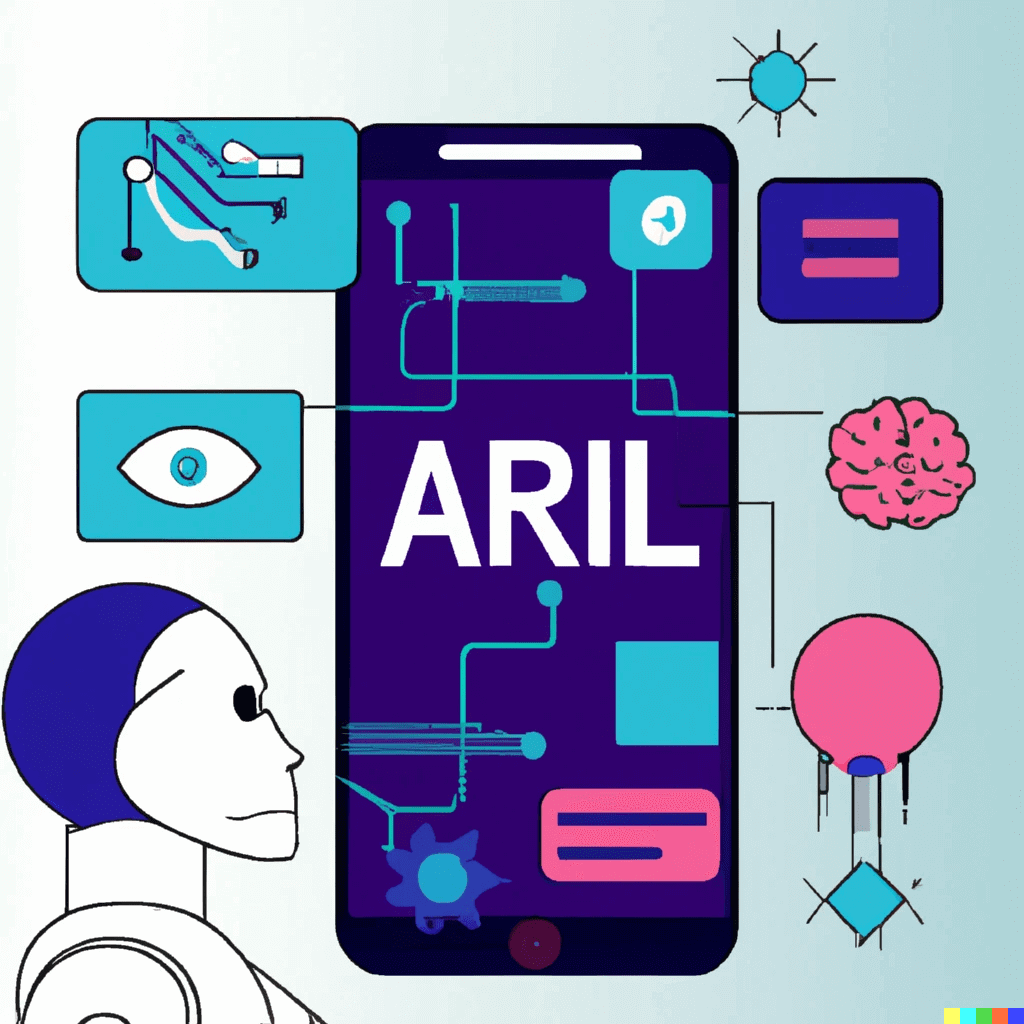
Ready for the future? App ideas to create using ChatGPT in 2023
What is ChatGPT? ChatGPT is a variant of the GPT-3 language model developed by OpenAI specifically for conversational text generation. It has the ability to generate human-like responses to prompts in a conversation, making it a useful tool for chatbots, customer service agents, and other applications that involve natural language interaction. One of the key features of ChatGPT is its ability to understand and generate a wide range of natural language inputs and outputs. It can understand and respond to prompts in a variety of formats, including open-ended questions, statements, and commands. It can also generate responses in a variety of styles, including informative, persuasive, and humorous. In addition to its language processing capabilities, ChatGPT also has several other features that make it well-suited for use in conversational applications. For example, it has a large vocabulary and is able to generate responses in multiple languages. It also has the ability to learn from additional text data and improve its performance over time. Mobile app ideas using ChatGPT As a highly advanced language model, ChatGPT has the ability to generate human-like responses to prompts in a conversation. This makes it a useful tool for building chatbots and other applications that involve natural language interaction. Here are a few mobile app ideas that could be created using ChatGPT: Personal assistant app: ChatGPT could be used to build a personal assistant app that helps users manage their daily tasks and schedules. Users could ask ChatGPT to set reminders, make recommendations, or answer questions about various topics. Language learning app: ChatGPT could be used to build a language learning app that helps users practice their conversational skills. Users could have conversations with ChatGPT in their target language, and ChatGPT could provide feedback and corrections to help them improve. Mental health support app: ChatGPT could be used to build a mental health support app that provides users with a safe and anonymous space to talk about their feelings and concerns. ChatGPT could listen and respond to users in a caring and supportive manner, providing a sense of companionship and comfort. Social networking app: ChatGPT could be used to build a social networking app that helps users connect with others who share similar interests. Users could have conversations with ChatGPT to discover new topics and find like-minded individuals to connect with. Travel planning app: ChatGPT could be used to build a travel planning app that helps users plan their trips. Users could ask ChatGPT for recommendations on destinations, hotels, restaurants, and activities, and ChatGPT could provide personalized suggestions based on the user's preferences and budget. Customer service chatbot: ChatGPT could be used to build a chatbot that provides customer service for a company's products or services. Users could ask ChatGPT questions about how to use the product, request support, or get help with any issues they are experiencing. Virtual therapy app: ChatGPT could be used to build a virtual therapy that provides users with the opportunity to have therapy sessions with a virtual therapist. Users could have conversations with ChatGPT and receive support and guidance on a variety of mental health issues. Recipe recommendation app: ChatGPT could be used to build a recipe recommendation app that helps users find new recipes to try based on their preferences and dietary restrictions. Users could ask ChatGPT for recommendations, and ChatGPT could provide a list of recipes that meet the user's criteria. Fitness tracking app: ChatGPT could be used to build a fitness tracking app that helps users set and achieve their fitness goals. Users could ask ChatGPT for workout recommendations and track their progress with ChatGPT's guidance. Virtual shopping assistant: ChatGPT could be used to build a virtual shopping assistant app that helps users find the products they are looking for and make informed purchasing decisions. Users could ask ChatGPT for product recommendations, comparisons, and reviews, and ChatGPT could provide personalized responses based on the user's needs and preferences. These are just a few examples of the many creative and innovative mobile app ideas that can be created using ChatGPT. By leveraging the power of natural language processing, these apps can provide users with personalized and engaging experiences that help them accomplish their goals and improve their lives. Mobile app development companies listed on RightFirms can help you build your app using ChatGPT by leveraging the advanced natural language processing capabilities of this powerful language model. These companies can work with you to understand your app idea, assess your needs, and develop a custom solution that uses ChatGPT to provide users with personalized and engaging experiences. Advantages of using ChatGPT for mobile apps There are several advantages to using ChatGPT for natural language processing in mobile apps: Human-like responses: ChatGPT has the ability to generate human-like responses to prompts in a conversation. This makes it a useful tool for building chatbots and other applications that involve natural language interaction. By using ChatGPT, developers can create apps that provide users with personalized and engaging experiences that feel more natural and human-like. Flexibility: ChatGPT is a highly flexible language model that can be used to create a wide range of natural language processing applications. It can understand and respond to prompts in a variety of formats, including open-ended questions, statements, and commands. This makes it well-suited for use in a variety of mobile app scenarios, including customer service, language learning, and mental health support. Large vocabulary: ChatGPT has a large vocabulary and is able to generate responses in multiple languages. This makes it a useful tool for building apps that need to support a wide range of languages and topics. Ability to learn from additional data: ChatGPT has the ability to learn from additional text data and improve its performance over time. This makes it a useful tool for building apps that need to adapt and improve their performance based on user feedback or changing circumstances. In conclusion, ChatGPT and other language models have the potential to revolutionize the world of mobile app development. Their ability to understand and generate human-like responses to prompts in a conversation makes them useful tools for building chatbots and other applications that involve natural language interaction. By leveraging the power of natural language processing, developers can create a wide range of mobile apps that provide users with personalized and engaging experiences. Whether it's a personal assistant app, a language learning app, a mental health support app, or any other type of application, ChatGPT and other language models can help developers build apps that are more intuitive and user-friendly. Looking to the future, it's likely that language models like ChatGPT will continue to evolve and improve, enabling developers to create even more sophisticated and advanced mobile apps. As these models become more powerful and flexible, the possibilities for mobile app development are endless, and it's an exciting time to be a part of this growing field.

Dec 2022
How to start a business in 2023 – A Complete Guide
Starting a startup can be a challenging but rewarding journey. It requires a combination of passion, hard work, and strategic planning to turn an idea into a successful business. If you're thinking about starting a startup, here's a detailed guide on how to get started: Identify your strengths and passions. The first step in starting a startup is figuring out what type of business you want to create. To do this, it's important to identify your strengths and passions. Think about what you are good at and what you enjoy doing. This will help ensure that you are motivated and energized by the work you are doing. Look for a problem to solve. A great startup idea often starts with identifying a problem that needs solving. Think about the problems you see in your own life or in the world around you. Is there a product or service that you wish existed? Could you create it? By solving a real problem, you'll be more likely to create a business that has real value to customers. Research your market. Once you have a business idea in mind, it's important to research your market to see if there is demand for your product or service. Look for data on the size of your target market, the competition, and potential customers. This will help you gauge the feasibility of your business idea. Develop a business plan. A business plan is a detailed document that outlines your business goals, strategies, and financial projections. It's an important tool for securing funding and getting your business off the ground. Your business plan should include a market analysis, a competitive analysis, a marketing plan, and a financial plan. Secure funding. Depending on the scale of your startup, you may need to secure funding to get it off the ground. There are a variety of funding options available, including venture capital, angel investors, loans, and crowdfunding. It's important to do your research and choose the option that best fits your needs. Build a team. Starting a business can be a solo endeavor, but it's often more effective to build a team of people who can bring different skills and perspectives to the table. As you build your team, look for people who are passionate about your business and are committed to its success. Launch your business. Once you have a solid business plan, funding, and a team in place, it's time to launch your business. This can involve creating a website, building a customer base, and establishing partnerships. It's important to stay focused and be flexible as you work to get your business off the ground. Adapt and grow. Building a successful startup requires a willingness to adapt and grow as you learn from your experiences. Be open to feedback, test new ideas, and be prepared to pivot if necessary. With a focus on continuous improvement and growth, you'll be well on your way to building a successful startup. Starting a startup is not for the faint of heart. It requires hard work, dedication, and a willingness to take risks. But with the right idea, a solid plan, and a strong team, you can turn your startup dream into a reality. Startup ideas to consider in year 2023 It's difficult to predict with certainty what the best startup ideas will be in 2023, as it will depend on a variety of factors including market trends, customer needs, and technological advancements. In 2023, there may be particular opportunities in areas such as remote work and virtual services, sustainable products and services, health and wellness, education technology, and social media and online marketing. Technology will also continue to play a key role in startup success, with areas such as artificial intelligence, virtual and augmented reality, and cybersecurity all offering potential for growth. However, here are a few potential areas to consider as you brainstorm startup ideas: Remote work and virtual services. The COVID-19 pandemic has accelerated the trend towards remote work, and it's likely that this trend will continue even after the pandemic ends. Consider starting a business that offers virtual services or products that cater to remote workers. Sustainable products and services. As consumers become more environmentally conscious, there may be an increased demand for products and services that prioritize sustainability. Consider starting a business that offers eco-friendly products or services. Health and wellness. The pandemic has highlighted the importance of health and wellness, and it's likely that this trend will continue. Consider starting a business that offers products or services related to health and wellness, such as health food, fitness products, or telemedicine services. Education technology. With the shift to remote learning, there may be an increased demand for education technology and online learning platforms. Consider starting a business that offers digital educational resources or tools. Social media and online marketing. As more businesses shift their marketing efforts online, there may be an increased demand for social media and online marketing services. Consider starting a business that helps other businesses with their online marketing efforts. Remember, these are just a few potential ideas and are not meant to be exhaustive. The key to finding the right startup idea is to stay attuned to market trends and customer needs, and to be open to new opportunities as they arise.

May 2022
Native Apps vs PWA: Which is right for your business?
Technology has revolutionized the eCommerce industry. The way people perceive online retail has changed drastically with new trends that reshape the industry every day. With the rise of mobile marketing, setting up your online store is now easier than ever. Businesses all around the globe have understood the significance of smartphones in the industry and have begun to develop native applications to participate in the mobile eCommerce business. In addition to native apps, progressive web apps are another form of retail technology gaining favor among organizations. Progressive web apps have been openly recognized as excellent sales tools by many large organizations around the world. Both PWAs and Natives Apps have a huge number of benefits for your eCommerce business. Depending on your business requirements, PWAs and Native Apps provide unique and unified solutions for all businesses alike. Here are the top differences between Native Mobile Apps and Progressive Web Apps to help you make an informed decision based on your business needs. Read on! Native Mobile Applications Native Applications are software applications created for industry-specific platforms using a coding language (JAVA, Kotlin, Swift, etc.). Prime examples of excellent Native Applications are Spotify, Instagram, Facebook, and Pinterest. Benefits of Native Mobile Applications Functionality Native Applications allow for much more complexity in design compared to PWAs. Push notifications: Having push notifications increases the likelihood of users engaging with your brand and returning to it. You can create the function from scratch or leverage third-party integration with a native app. Geofencing: In real life, geofencing allows developers to create virtual geographical boundaries using GPS. When a user enters these boundaries, the app can initiate phone activities. When combined with push notifications, geofencing is an effective way to contact and engage your users. Currently, this feature is only available in native apps. Other Smart features: Some functions, such as proximity sensor, ambient light sensing, and smart lock, cannot be accessed by PWA. Interaction with Other Apps: Native apps can interact with other apps to make calls, register, add events to the schedule, check out, etc. Performance Integrated with the host operating system, Native Mobile Applications outperform web applications almost every time. Because PWAs run in the browser, they have more latency and use more battery than native apps. The underlying operating system can be integrated into a native program. It can access device hardware to perform more calculations and provide a better user experience. When it comes to performance, Native Applications take the win as a native app is more powerful and native code is faster. Security Other than hosting security measures such as HTML encryptions and the use of digital certificates for authorization, Native Applications provides you the option to add in-built security measures. If your software requires a login, features such as Multi-Factor Authentication can be used. Certificate pinning is another feature that is useful in adding layers to the security. Certificate Pinning restricts the number of certificates considered valid for a website to reduce the risk of misissued or fraudulent certificates. Furthermore, because an app must pass the App store's security requirements before being launched, people are more inclined to trust it than a URL. Progressive Web Applications (PWA) A Progressive Web Application is an application that uses web technologies like HTML, CSS, and JavaScript yet appears and functions like a native app. Progressive web apps are also simple, dependable, and enjoyable to use. A few famous examples of PWAs are Flipkart, Pinterest, MakeMyTrip, Wego, AliExpress, and more. Benefits of PWAs Cost-Effective A progressive web app is less expensive to develop when compared to a native application. You will need to learn the language and create a version for each platform if you are making a native application. It implies you will need at least two iOS and Android versions and the resources to maintain and upgrade them. Depending on the app's purpose and complexity, this can take a long time and cost lots of money. It's easier to create and upgrade a progressive web app. You can have a single codebase that runs on different platforms, not just the two most popular ones. You only need one version of the app with a responsive design, and it will look the same across all devices. Easy Installation In a given month, the average smartphone user downloads zero apps. A progressive Web Application, on the other hand, doesn't need to be downloaded or installed. Visitors can bookmark and add the app to their home screen with only a few clicks from the browser. The PWA will appear on the user's home screen and in the app directory, provide notifications, and integrate with the system settings. Furthermore, compared to an app, a progressive web app takes up less space. Visitors can access the app and share it with their friends by typing in the URL. There's also no need to update the software because it automatically launches with the most recent version. Discoverability Pages from native apps cannot be indexed or listed in a search engine. Customers can find your application in the app store or on the app store's website. Unlike native apps, PWAs function similarly to websites, allowing them to be indexed by search engines. PWA has improved performance and engagement compared to responsive web pages, allowing your website to rank higher in search results. Here are a few more steps to ensure that your PWA is SEO-friendly: Implement an SEO structure and target keywords relevant to your business. To avoid duplicate content, use rel=canonical for various URLs. Keep an eye out for URLs that begin with a "#," as Googlebot will not index anything after the hashtag. PWA or Native Mobile App: Which is Right for Your Business? Here are some of the key elements that differ between a PWA and a native application and often are the make-or-break factors when making a decision. Convenience The web app does not need to be downloaded. Instead, it can be accessed directly from the web browser on a smartphone or computer. A user can also add a Progressive Web Application shortcut to their home screen, which they can access at any time. The installation of a native app, on the other side, takes a long time. Before clicking on install, a user must first look for a particular app in the relevant store. Before using the native app, the user must grant the necessary permissions. Therefore, PWA takes the cake when it comes to convenience and ease of use. Distribution Strategy Native applications need careful planning and development to be taken live on your respective app stores. On the other hand, All you have to do with PWA is make sure your site is up and functioning on the internet. In addition, web applications can be accessed solely through a browser. Chrome, Firefox, Edge, and Safari are a few browsers that support PWAs. As a result, a PWA can assist you in reaching a wider audience with your app. Progressive Web Apps are now supported in the Google Play Store, allowing you to take them online with ease. Development Cost When the development costs of a PWA and a native app are compared, PWA emerges as the winner. It is because when designing a PWA, you require a single codebase that works on a variety of devices. You can also tweak it with tools like Google Lighthouse. Developing a native app, on the other hand, takes a significant amount of effort and money. You will also have to spend resources on maintenance. Aside from that, there are a multitude of other factors that influence the cost of developing native apps. Go for PWAs: If you're just getting started: If you want an easy-to-use app for your users, PWA is the way to go. No download is required, and you may engage with the user via push notifications. If you're working on a tight schedule and a limited budget: The development and publication of PWA involve less time and money. If you want to raise brand awareness and boost your SEO: PWA is similar to any other website in a way that it reaches a large number of people. Go for Native Applications: If you want to increase your brand's trust: Apps published on app stores are more reliable, while native apps have additional security features. If you want to make the most of your smartphone's advanced features: In cases when geofencing and sensor/detection are critical to the user experience, or if your product demands a lot of processing power. Wrapping Up Digitization has forever changed the way we buy and sell goods and services. New trends are coming up every day, and the world has embraced technology as a part of commerce. Native Applications and Progressive Web Applications (PWAs) are two solutions for providing a consistent experience to users with a variety of benefits. While developing a PWA is less expensive and faster than developing a native application, both have their shortcomings as well. Native applications are great for the long run when you have an established business but expensive to set up and harder to distribute. Native Applications and Progressive Web Applications are both here to stay, and the decision should be made based on your project's goals and resources.