

Most Popular Blogs




Aug 2026
How Can Teams Build More Effective GUI Test Automation Processes?
Most teams don't fail at GUI test automation because they picked the wrong framework. They fail because they built a process that looked solid on paper but fell apart the moment the UI changed, and that happens far more often than anyone wants to admit. If you've ever watched a test suite flip from green to red overnight because someone updated a button label, you know exactly what this feels like. Faster test runs are great, but the real goal is a process your team can trust, maintain, and scale without a constant fire drill. That means rethinking how you select tools, design test cases, and organize the work itself. The teams that get this right share a handful of common habits; none of those habits are mysterious. They're repeatable, learnable, and worth building in from day one. Choosing the Right Tools and Structuring the Work Your tool choice determines how much of the team's time goes toward writing tests versus fixing them. GUI test automation tools listed by Functionize cover a wide range, from script-based frameworks to platforms that adapt to UI changes automatically, so match that selection to your team's actual skill mix and maintenance capacity rather than defaulting to whatever gets the most conference mentions. A framework requiring deep coding fluency is a liability when most of your team are manual testers. A no-code tool, on the other hand, might be too rigid for teams that need granular control over complex workflows. Start by mapping your current stack. What tech is the front end built on, how frequently does the UI change, and how much time do you realistically have for test maintenance each cycle? Those three questions narrow the field fast. And don't treat tool selection as a one-time decision; plan a re-evaluation checkpoint every 12 months so you can catch cases where the tool has quietly become a bottleneck rather than an accelerator. Match the Framework to Your Release Cadence Teams shipping on tight weekly or biweekly schedules need automation that keeps pace without breaking constantly. That means prioritizing self-healing capabilities, strong locator strategies, and solid parallel execution support. If your releases are slower and more deliberate, a script-heavy approach might work fine because your team has room to maintain it properly. But here's the thing: many teams badly underestimate how fast their cadence picks up once CI/CD pipelines mature. So build for where you'll be in six months, not just where you are right now. Align Tool Evaluation with Team Skill Sets You can have the best framework on the market and still get poor results if your team can't use it confidently. Bring QA engineers, developers, and even product managers into the evaluation. Run a short proof of concept on three to four real test cases from your backlog and see which tool produces the least friction. Measure setup time, test creation time, and how long it takes to debug a failure. Those numbers tell you far more than a feature checklist ever will. Designing Test Cases That Don't Break Every Week Good test design is where most teams have the widest gap between what they know they should do and what they actually do under deadline pressure. The result is a suite packed with brittle tests demanding constant attention. Effective GUI test automation processes treat test case design as a first-class activity, not an afterthought. Start with a clear scope: automate the high-value, high-stability user flows first, and leave edge cases to manual testing until your suite is in good shape. A focused, stable set of 50 tests delivers more value than 300 tests where 40% are flaky. Think about the paths your users take most often, and the ones where a failure would be immediately visible to customers. Those are your automation targets. Everything else can wait. You should also write test cases with change in mind from the beginning, because the UI will change, and your tests need to survive that without a full rewrite every time. Use Page Object Models to Isolate UI Changes The Page Object Model (POM) is one of the most effective patterns for keeping test suites maintainable over time. Each screen or component in your application gets its own object that holds the locators and interactions for that area of the UI; test scripts then call those objects rather than hardcoding selectors directly into every test. So when a button moves or a class name changes, you update one file rather than fifty. Teams that skip this step in the interest of speed usually pay for it within two or three sprints, when a single UI redesign eats up days of rework across the test suite. POM adoption doesn't require a big-bang refactor. You can introduce it incrementally, starting with the screens that change most often, and work outward from there. Prioritize Stable Selectors Over Brittle Ones Your tests are only as stable as the locators they depend on. CSS classes auto-generated by UI frameworks, text content that shifts with A/B tests, position-based selectors, all of these are failure points waiting to surface. The better path is working with your development team to add dedicated test IDs (attributes added specifically for automation purposes) to the elements your tests interact with. This takes a small upfront investment; the payoff over time is outsized. Test IDs don't change with style refactors or layout shifts, and they're an explicit signal to any developer who encounters them that an automated test depends on that element, which makes accidental breakage far less common. Keeping the Process Healthy Over Time Building a solid GUI test automation process is one challenge. Keeping it healthy six months later is a different one entirely. Flaky tests accumulate, coverage drifts from the actual application, and documentation goes stale. Teams that stay ahead of this treat test maintenance as a recurring part of each cycle rather than a separate cleanup project that never quite makes it onto the schedule. A useful rule of thumb: allocate around 10 to 15 percent of each cycle's capacity to test health, quarantining flaky tests, updating selectors, and retiring tests for features that no longer exist. Track your suite's pass rate over time, too. A pass rate trending downward is a warning sign, and catching it early is far less painful than running a full audit after things have gone sideways. Build in a monthly review where the team looks at failure patterns together and identifies whether those failures point to real bugs or to test infrastructure problems that need attention. Treat Flaky Tests as Technical Debt A flaky test, one that passes sometimes and fails other times without any code change, is worse than no test at all. It trains your team to ignore red builds, which means real failures get buried in the noise. Honestly, the right response is to quarantine any flaky test the moment you identify it. Move it out of the main suite, open a ticket to investigate the root cause, and don't let it back in until it passes 20 or more consecutive runs without failing. That might sound strict, but it protects the credibility of your entire suite. Conclusion More effective GUI test automation processes aren't built in a single cycle. They come from consistent decisions: matching tools to your team's real capabilities, designing tests that survive change, and treating maintenance as ongoing work rather than a deferred cleanup task. Start with a focused set of high-value test cases, apply patterns like the Page Object Model early, and give your team the space to keep the suite healthy over time. That combination doesn't just cut down on failures; it builds a process your team can actually trust.

Aug 2026
Top Consulting Firms Specializing in the Oil and Gas Industry
Most of the digital transformation spend in oil and gas last year went toward fixing decisions made a decade ago. Old SCADA systems on unsupported infrastructure. ERP platforms that don't talk to field equipment. Emissions data tracked in spreadsheets. Below are 15 firms actually doing this work in 2026. IT-first and engineering-led, covering upstream seismic analytics through downstream refinery optimization. Choosing the Right Partner Platform-specific experience separates serious players from generic consultants. Three things worth checking: OT/IT convergence experience, not just IT project delivery References from named NOCs or independent operators Familiarity with Aveva OSIsoft PI, Halliburton Landmark, or SAP IS-Oil One question worth asking upfront: Can they name a production allocation system they've connected to an upstream ERP and how long it took? Vague answers are informative. 15 Oil and Gas Consulting Firms in 2026 DXC Technology Eight of the top ten oil and gas companies globally work with DXC. AI-driven predictive maintenance, seismic analytics, remote monitoring platforms. Client work includes a Salesforce CRM rollout for TotalEnergies and process automation at Uniper.Details at - https://dxc.com/industries/energy/oil-gas John Wood Group Wood Group is the North Sea workhorse, UK-based, with real depth in brownfield asset management and reliability engineering across the Gulf of Mexico and Middle East. Digital services arm has grown quietly, building cloud tools for operators who can't afford unplanned shutdowns. Worley Australian firm, 46 countries, in-house consulting arm called Advisian handling energy transition strategy alongside traditional O&G engineering. Active on LNG projects in Australia and helping operators hit Scope 1 and 2 targets without cutting production. Petrofac Petrofac doesn't lead with digital, they lead with delivered projects. EPC and operations management in Algeria, Oman, and the Caspian. Brownfield optimization is their strongest suit. Their workforce competency programs often turn out to be as valuable as the engineering work itself. CGG The French firm exploration professionals know well but general press rarely mentions. CGG processes seismic data across the Middle East, West Africa, and Southeast Asia, subsurface imaging running on HPC-backed cloud infrastructure used by major IOCs and national oil companies. AspenTech Aspen HYSYS runs in most refinery simulation workflows globally; Aspen Mtell is gaining ground in predictive maintenance. AspenTech's consulting arm actually helps operators deploy and tune the tools - not just license them. Worth considering for any downstream process optimization project. Yokogawa Electric Japan's answer to industrial automation in oil and gas. The OpreX platform connects plant control systems to cloud analytics without requiring a full DCS replacement first. Active on major LNG projects in Australia and across Middle Eastern petrochemical complexes. Tecnicas Reunidas TR has delivered refineries in Saudi Arabia, Kuwait, and Kazakhstan, the kind of EPC work where margin for error is measured in millions. Digital services have expanded recently: process simulation, lifecycle management, and compliance tooling for downstream operators under margin pressure. Saipem Offshore and subsea is Saipem's home. The Constellation vessel and FDS2 drillship operate in West Africa, deepwater Brazil, and the Mediterranean. IIoT monitoring and digital twins now drive maintenance scheduling on active projects - not just in the brochures. AVEVA Part of Schneider Electric now, but the AVEVA brand still carries real weight in oil and gas. Unified Operations Centre and AVEVA Historian run across refineries and pipeline networks globally. For digital twin deployment and operational data management at scale, this is a serious contender. Gaffney, Cline & Associates GCA doesn't do IT. Reserves auditing, asset valuation, field development planning, the technical foundation that determines whether an IT investment makes sense at all. Banks and NOCs rely on them for independent assessments. That kind of credibility isn't easy to replicate. TechnipFMC Subsea, surface, onshore, TechnipFMC handles complex engineering with active projects in Brazil's pre-salt basin, the North Sea, and Angola. iComplete model ties engineering delivery to digital project management. Dual-listed on NYSE and Euronext Paris. ILF Consulting Engineers Not widely known outside the sector, but pipeline engineers recognize the name. Austrian firm, contributed to Trans-Adriatic Pipeline (TAP) design, active across Central Asian gas corridors. Mid-tier by reputation, technically deep where it counts on infrastructure-heavy projects. Aker Solutions Embedded in the North Sea supply chain, Equinor is a core client. Well integrity management and subsea monitoring are the core products. Predictive analytics connects live OT data to cloud dashboards, which is less common in practice than most vendors suggest. KBC Advanced Technologies KBC belongs to Yokogawa and focuses entirely on process consulting and simulation. Petro-SIM competes with Aspen HYSYS in Middle Eastern and Asian refineries. For energy optimization and margin improvement downstream, they have named clients and documented results to back the claims. Bottom Line Real oil and gas expertise isn't concentrated at the top of the market. Seismic analytics, brownfield EPC, SCADA modernization, and digital twin deployment each call for different capabilities and different experience. Match the firm to the actual problem layer, not the brand size. FAQ What's driving demand for O&G consulting right now? Predictive maintenance, emissions monitoring, and cloud migration of legacy SCADA systems. Migrating OSIsoft PI Historian environments is still one of the most common painful projects across the sector. Do these firms work with smaller operators, not just majors? Several do, GCA, ILF, and Aker Solutions engage mid-size independents regularly. Worth asking directly rather than assuming from the client list. Is AI delivering real ROI in oil and gas operations?On clean operational data, yes. DXC's well performance work produced a 10–20% production increase for a US operator, roughly $2M per well annually.

Aug 2026
The New Software Buying Journey: How Businesses Actually Choose Development Companies in 2026
A year ago, the software buying process still roughly followed a search engine, a shortlist of homepages, and a handful of demo calls. That path has largely collapsed. In 2026, the majority of B2B software research now starts somewhere else entirely, moves through channels most vendors cannot see or measure, and often arrives at a shortlist before a single sales conversation happens. This matters directly for any business currently comparing software development companies, because understanding how the buying journey actually works now changes where you should be spending your own research time, and it explains why the vendor with the loudest marketing is no longer automatically the one that wins the deal. Stage 1: Research Now Starts in an AI Chatbot, Not a Search Bar The single biggest shift in the software buying process is where it begins. G2's 2026 research found that 51% of B2B software buyers now start their purchasing process in an AI chatbot rather than a traditional search engine, up sharply from the year before, and 71% rely on chatbots for research at some point in the journey. A separate industry survey found 82% of B2B software buyers sourced vendor recommendations from a chatbot like ChatGPT or Gemini within the past two years. This is not a small behavioral tweak. Sixty-nine percent of buyers in G2's study said they chose a different vendor than they originally planned based on AI chatbot guidance, and roughly a third purchased from a vendor they had never previously heard of. For businesses evaluating AI development companies or software partners, this means your visibility inside AI search results now matters as much as your visibility on page one of Google, something most vendors have not yet adjusted their content strategy to reflect. Importantly, AI has compressed research, not eliminated due diligence. The same reporting found evaluation, not research, is now the longest stage of the buying journey for the first time, because a faster path to a shortlist has shifted the friction downstream to trust, cost, and internal approval. Stage 2: Peer Communities and Reddit Now Outrank Vendor Content Even with AI chatbots reshaping the starting point, peer trust has not been displaced, it has become more important relative to vendor-controlled content. A 2026 joint study from SurveyMonkey and Reddit surveying 1,200 U.S. business decision-makers found peer recommendations are the single most trusted information source at 73%, ranked well above vendor websites (55%), search engines (54%), review sites (46%), and AI chatbots (39%). Reddit specifically has become a meaningful part of that validation layer. The same study found 32% of software buyers specifically have used Reddit for vendor research, most often to read reviews and testimonials (77%), check pricing (45%), evaluate capabilities (42%), or confirm compatibility and integrations (36%). The pattern is consistent: buyers use AI and search to build an initial list, then go looking for unfiltered, first-hand opinions before trusting that list. LinkedIn plays a related but different role in this stage. Rather than functioning as a review source, it works more as a network validation layer, where buyers check who else in their professional network has worked with a vendor, look for posts or comments about a company's delivery quality, and message connections directly to ask "has anyone actually used this agency." This kind of informal LinkedIn outreach rarely shows up in any vendor's analytics, but it consistently influences which companies make a final shortlist. Stage 3: Review Platforms Remain the Trust Anchor Review platforms have not lost relevance, they have consolidated and become more tightly integrated with AI search itself. G2 has become one of the most-cited B2B software sources across AI-first discovery channels, and in early 2026 it acquired Capterra, Software Advice, and GetApp, consolidating a large share of the review platform market under one company. For services and implementation-heavy categories specifically, platforms like Clutch play the equivalent role that G2 plays for software products, giving buyers a structured way to compare verified client reviews, project sizes, and delivery track records across development companies. What has changed is buyer behavior once they reach a review site. Reviewer testimony alone is no longer treated as sufficient. The majority of software buyers now report seeking out a direct conversation with someone who has actually used a vendor, beyond whatever curated references the vendor itself provides, a trend TrustRadius found to be even stronger among younger buyers and among buyers making larger, more complex purchases. Stage 4: Referrals Still Decide More Deals Than Any Channel Realizes Despite all the new discovery channels, referrals and prior experience remain disproportionately powerful. Research from 6sense's Buyer Experience Report found that 95% of the time, the vendor that ultimately wins a deal was already on the buyer's "Day-One shortlist," the initial set of vendors a buyer has in mind before formal research even begins, most often shaped by referrals, prior work history, or reputation the buyer already carried into the process. This is a useful check on how much weight to put on any single discovery channel. AI chatbots and Reddit threads are increasingly where that Day-One shortlist gets validated or challenged, not necessarily where it originates. A business with strong word-of-mouth and an existing reputation among its target industry starts every buying journey with a structural advantage that no amount of AI search optimization fully replaces. Stage 5: Technical Validation Happens Before a Proposal Is Ever Requested Perhaps the most significant shift for software development companies specifically is how much technical vetting now happens before a formal RFP or proposal request. Buyers increasingly use AI tools to research a vendor's technical case studies, check GitHub activity or public portfolio work, compare technology stacks against project requirements, and cross-reference certifications, all before reaching out. G2's 2026 research found that among buyers using AI agents in the buying process, the top use cases are evaluating total cost of ownership (51%), building shortlists (51%), researching solutions (49%), and evaluating shortlisted vendors directly (46%). In practice, this means a vendor's public-facing technical credibility (detailed case studies, clear technology specialization, verifiable certifications, transparent team structure) now gets evaluated well before a sales conversation happens, not during it. Businesses researching top software development companies should expect to do a meaningful amount of this technical validation work themselves, using the same directory and review data vendors are increasingly optimizing for. What This Means for Your Own Vendor Research If you are currently in the market for a development partner, the 2026 buying journey suggests a more deliberate research sequence than most businesses actually follow: Use AI search, but verify independently. Chatbot recommendations are a strong starting point for building a shortlist, but treat them the way you would treat a single analyst's opinion, useful for discovery, not sufficient on their own given the accuracy concerns buyers themselves report with AI-generated research. Go looking for unfiltered opinions, not just curated references. A vendor's own reference list is, by definition, their best clients. Peer communities and direct outreach through your professional network surface a more honest picture. Cross-check review platforms against verified profile data. Look for structured data (team size, certifications, industries served, technology focus) alongside written reviews, not reviews in isolation. Do the technical validation early, not after a proposal arrives. Reading case studies, checking certifications, and confirming relevant industry experience before your first vendor call saves both sides time and produces sharper, more comparable proposals when you do request them. Where RightFirms Fits in This Journey The shift described in this report is exactly why structured, verified vendor data has become more valuable, not less, in an AI-saturated research process. RightFirms' software development directory gives buyers the structured technical validation data (team size, pricing bands, certifications, industries served, and verified client reviews) that increasingly gets checked before a proposal is ever requested, in one place rather than scattered across a dozen browser tabs. If you already know your requirements, the AI-powered recommendation tool can shortcut the discovery stage entirely by matching your project against verified profiles rather than a generic AI chatbot guess. The software buying journey in 2026 is faster to start and slower to close than it used to be. AI chatbots compress discovery into minutes, but evaluation, the stage where cost, trust, and technical fit actually get decided, has become the longest part of the process. Businesses that understand this and build their own vendor research around verified data, peer validation, and early technical vetting are the ones reaching a confident decision faster than the ones still relying on a single Google search and a stack of unread proposals.

Aug 2026
Which Industries Are Investing the Most in AI Development? 2026 Market Analysis
Global enterprise AI spending hit $407 billion in 2026, up 34.8% from $302 billion the year before. That headline number gets repeated everywhere, but it hides the more useful story: this spending is wildly uneven across industries. Some sectors are running AI in production at massive scale. Others are still stuck in pilot programs three years into the AI adoption cycle. This report breaks down where AI investment is actually concentrated in 2026, what those industries are building, how project sizes compare, and which technologies are driving the demand behind the numbers. The 2026 AI Spending Picture, by the Numbers At the macro level, AI investment is accelerating across nearly every category of enterprise technology spending. Gartner's 2026 forecast puts total worldwide AI spending (including hyperscaler infrastructure, chips, and consumer products) at $2.59 trillion, a 47% jump from 2025. Enterprise IT budgets now allocate an average of 18% to AI, up from just 11% in 2024, with technology-forward sectors like financial services and SaaS pushing that figure to 25 to 30%. The enterprise-only slice of that spending, the $407 billion figure most relevant to businesses planning their own AI investment, breaks down clearly by sector. Financial services leads by a wide margin at roughly $68 billion, followed by healthcare at $45 billion and retail at $38 billion. But dollar totals only tell half the story, because they are also a function of how large and how digitized an industry already was before AI adoption began. Spend vs. Adoption: Two Different Rankings The industry spending the most money on AI is not the industry using it most widely. Adoption rate, the share of companies in a sector running AI in some production capacity, tells a different and arguably more useful story for benchmarking your own business against your industry. Technology and software companies lead adoption at 88%, ahead of financial services at 79%, healthcare at 62%, retail at 53%, and education trailing every other major sector at just 34%. The gap makes sense once you separate the two dynamics at play: financial services outspends everyone because it is replacing decades-old fraud, trading, and servicing infrastructure at enterprise scale, while software companies show the highest adoption simply because AI tooling is native to how they already build product, so the cost of adopting it is lower than it is for a hospital system or a school district. What Each Leading Industry Is Actually Building The investment totals only matter in context of what the money is funding. Here is what is actually being built inside the industries driving 2026 AI spending. Financial services is concentrated in three areas: fraud and anti-money-laundering detection, algorithmic and quantitative trading systems, and customer-facing service automation that is replacing a real share of first-line call center volume. This is not experimental spend. A large majority of financial and insurance firms, roughly 85%, plan to increase AI budgets further over the next year, and the median annual AI budget at an enterprise-sized financial firm now sits above $2 million, with the largest banks spending far beyond that median. Healthcare's $45 billion is anchored heavily in diagnostic imaging, where AI models are now reaching accuracy levels that match or exceed radiologist performance on narrow, well-defined tasks like tumor detection in mammograms and CT scans. That measurable clinical accuracy is what is pushing adoption past 60% despite healthcare's typically slow procurement cycles and heavier regulatory review than almost any other sector on this list. Retail investment centers on demand forecasting and personalization, with AI-driven recommendation engines reported to lift average order value by roughly 12%. This is one of the clearest ROI stories in enterprise AI right now, which explains why retail adoption is climbing even though the sector's total dollar spend is smaller than finance or healthcare. Manufacturing does not crack the top three in absolute 2026 spend, but its year-over-year growth rate, around 48%, is the fastest of any sector tracked. That growth is concentrated in predictive maintenance and computer-vision quality control on production lines, both use cases with an easy-to-measure ROI metric (fewer unplanned line stoppages, fewer defective units shipped) that tends to accelerate adoption once a handful of reference projects prove the math. Education, at just 34% adoption, remains the clear laggard, held back by tighter budgets, slower procurement, and data privacy constraints around student information. Where education AI investment is happening, it concentrates narrowly around tutoring support and administrative automation rather than broader institutional deployment. Average Project Sizes: What This Looks Like at the Company Level Enterprise-wide totals can make AI investment sound like it only applies to Fortune 500 budgets. In practice, project sizes vary enormously by company size and industry maturity, but a few patterns hold across the data: Financial services and healthcare projects tend to be the largest individually, often reflecting multi-year platform builds (fraud detection systems, diagnostic imaging tools) rather than single-feature additions, consistent with the median $2 million-plus annual AI budget reported among enterprise financial firms. Retail and manufacturing projects more often start narrower and scale after an initial proof of concept validates the ROI metric (order value lift, defect reduction), which tracks with the faster year-over-year growth rate seen in both sectors. Mid-market businesses across all industries are increasingly funding smaller, use-case-specific AI projects rather than broad platform initiatives, a pattern that shows up clearly in inquiry activity across RightFirms' own AI development directory, where scoped projects (a specific chatbot, a specific forecasting tool, a specific automation workflow) now outnumber requests for open-ended "AI transformation" engagements. The Technology Driving 2026 Demand: AI Agents Inside nearly every industry's AI budget, the fastest-growing line item is no longer basic chatbots or copilots. It is AI agents capable of executing multi-step workflows with less human review at each step. Gartner forecasts AI agent software spending will reach $206.5 billion in 2026 and climb to $376.3 billion in 2027, close to 82% growth in a single year, a far steeper curve than the 34.8% growth rate for enterprise AI spending overall. This shift matters for how businesses should read their own industry's position in the data above. A sector showing modest 2026 spend growth may still be close to an inflection point once it moves from single-purpose AI tools toward agentic workflows, the same transition financial services made over the past two years moving from basic fraud-scoring models to more autonomous trading and servicing agents. What This Means for Businesses Planning AI Investment Three practical takeaways follow directly from this data, regardless of which industry you operate in: A low current adoption rate is not a reason to wait. Manufacturing and retail are proving that industries starting from a smaller base can post the fastest growth once one credible, ROI-backed project exists internally to justify the next one. Governance and security budgets are growing faster than deployment budgets. Governance now claims 8 to 12% of the average enterprise AI budget, up from just 3 to 5% in 2024, a signal that businesses further along in AI adoption are shifting spend toward controlling and auditing what they have already built, not just building more. Scoped, single-use-case projects are outperforming broad transformation initiatives. Across nearly every industry in this data, the clearest ROI stories (retail's 12% order value lift, manufacturing's defect reduction, healthcare's diagnostic accuracy) came from narrow, measurable use cases rather than open-ended AI strategy engagements. Where to Go Next If your industry shows lower current adoption in this report, that is not a signal to deprioritize AI investment, it is a signal to start with a narrow, measurable use case rather than a broad initiative, the same pattern driving growth in manufacturing and retail. RightFirms' AI development company directory lets you compare vendors by industry experience and project focus, and the AI-powered recommendation tool can match your specific use case against verified partners with relevant sector experience. The industries winning the AI investment race in 2026 are not necessarily the ones spending the most. They are the ones that found one measurable use case, proved the ROI, and used that proof to justify the next budget increase. That pattern is available to any business, in any industry, regardless of where it currently sits in this report's rankings.
Jul 2026
Before You Hire a Development Company: Ask for These 12 Deliverables
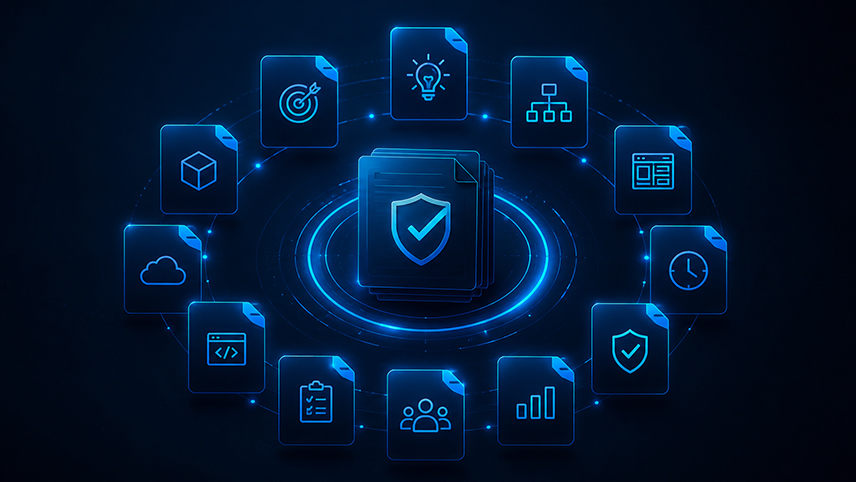
Most vendor conversations end the same way: a proposal document, a quoted price range, and a start date. What rarely gets asked for is proof that the vendor has actually thought through how the project will be built, tested, secured, and supported after launch. That gap is where a large share of failed software engagements begin, not because the developers could not code, but because nobody defined what they were building against before the contract was signed. The fix is simple. Before signing with any of the many software development companies competing for your project, ask for these 12 deliverables. A serious vendor will have most of them ready, or will be able to produce them quickly. A vendor that cannot, or pushes back on the request, is telling you something important before you have spent a dollar. 1. A Written Project Roadmap A roadmap should break the project into phases with rough timelines attached to each, not a single end date three months out. Look for named milestones (discovery complete, first working prototype, QA sign-off, launch) rather than a single bar on a Gantt chart. If a vendor cannot produce this before the contract is signed, they have not actually scoped the work yet, they are estimating it. 2. A Software Requirements Document This is the single most important piece of software project planning, and the one businesses most often skip. A requirements document should translate your business goals into specific functional requirements: what the system must do, who uses it, what data it handles, and what "done" looks like for each feature. Without this, scope disagreements later in the project become a matter of opinion instead of a matter of checking a document both sides signed off on. 3. An Architecture Plan Ask for a description of the technical architecture before development starts, not after. This does not need to be a 40-page technical spec, but it should cover the core technology stack, how the frontend and backend will communicate, where data will be stored, and how the system is expected to scale. An architecture plan produced after the fact is really just documentation of decisions nobody reviewed in advance. 4. A Sprint Schedule or Delivery Cadence If the vendor works in sprints, ask for the sprint length, what gets reviewed at the end of each sprint, and how you will see progress along the way. Vendors who cannot commit to a cadence, or who describe delivery only in terms of a single final handoff, make it harder to catch problems early, when they are still cheap to fix. 5. A QA and Testing Strategy Ask specifically how the vendor plans to test the software, not just that they will "test it." A real QA strategy names the types of testing involved (unit, integration, user acceptance), who is responsible for each, and at what point in the schedule testing happens relative to development. Agencies that treat QA as a final step squeezed in before launch tend to ship more bugs, because testing was never built into the schedule. 6. A Security Approach Security should be a documented part of the plan, not an assumption. Ask how the vendor handles authentication, data encryption, and access control, and whether the project will need any compliance considerations relevant to your industry (healthcare data, financial data, and so on). A vendor with a clear, specific answer to this question is a different category of partner than one who says "we take security seriously" without naming a single practice. 7. A Deployment Process Find out exactly how the software will go live: whether there is a staging environment, how rollbacks are handled if something breaks after launch, and who is responsible for the deployment itself. A vendor without a clear deployment process is more likely to treat launch day as a stressful, high-risk event rather than a routine, tested procedure. 8. A Maintenance and Support Plan What happens the day after launch matters as much as the launch itself. Ask what is included in post-launch support, how bug fixes are prioritized and billed, and what the process looks like for adding new features later. Many vendor relationships sour specifically because "maintenance" was never defined in the original proposal, and both sides discover different assumptions about it after the invoice arrives. 9. A Communication Framework This should specify who your point of contact is, how often you will receive updates, and what tools will be used (a shared project board, weekly calls, async updates, or some mix). Vague answers here ("we'll keep you posted") tend to predict vague updates once the project is underway. A defined communication framework is one of the simplest indicators of how a vendor actually manages client relationships day to day. 10. A Realistic Cost Breakdown Ask for a breakdown by phase or deliverable, not just a single total number. This makes it much easier to spot where budget is concentrated and to have an informed conversation if scope changes later. A single lump-sum quote with no breakdown makes it hard to know whether you are paying for design, development, QA, or project management, and makes any future negotiation much harder. 11. A Risk and Assumptions Log Every project proposal is built on assumptions (about data availability, third-party integrations, existing systems, and so on). Ask the vendor to list theirs explicitly. This single document often reveals more about a vendor's experience level than anything else on this list: experienced teams tend to name specific, project-relevant risks, while newer or less careful vendors tend to leave this section generic or skip it entirely. 12. A Documented Handoff and Ownership Plan Before the project starts, clarify what you will own at the end of it: source code, credentials, documentation, and design files. This should be stated plainly in the proposal, not left as an assumption. Some vendors retain more control over code repositories or infrastructure access than clients realize until they try to switch providers later. How to Use This List in a Vendor Conversation You do not need all 12 deliverables finalized before your first call. What you need is a vendor willing to walk through each of these areas concretely, with specifics rather than reassurances. A useful approach: Send this list to each vendor you are evaluating and ask which of these they include as standard practice. Compare not just whether they say yes, but how specific and project-relevant their answers are. Treat vague or dismissive answers on security, QA, or ownership as disqualifying, since these are the three areas most likely to cause expensive problems later. Making Vendor Comparison Easier Gathering and comparing this much detail across several proposals is exactly the kind of research that slows most businesses down during vendor onboarding. If you want a head start, defining your project scope before your first vendor conversation makes it much easier to get specific, comparable answers to the 12 items above, since vendors respond with more precision when the requirements are already written down. You can also browse verified software development companies directly, where team size, certifications, and client reviews are visible upfront, or use the AI-powered shortlist tool to match your requirements against vetted profiles instead of starting from a blank search. A strong proposal is not the one with the lowest price or the most impressive homepage. It is the one where all 12 of these deliverables are already answered, clearly and specifically, before you have signed anything.

Jul 2026
The 2026 Technology Hiring Report: Which Development Services Are Growing Fastest?
Every year brings a fresh batch of "top tech trends" predictions, most of them written before the year's actual hiring and spending data exists. This report takes a different approach. Rather than guessing where the industry is headed, it pulls together verified 2026 labor market data, enterprise technology spending reports, and hiring activity patterns across RightFirms' own directory of 30,000+ verified software and IT companies to show where demand is actually concentrating right now. The short version: AI-adjacent roles are growing the fastest by a wide margin, cybersecurity is close behind, cloud and data engineering remain steady anchors, and low-code development is quietly becoming one of the more resilient hiring categories of the year. What is different in 2026 compared to prior years is not that AI is growing (that story is not new) but that the growth has moved from experimentation budgets into permanent headcount and vendor contracts. Methodology This report combines three sources: published 2026 labor market data from firms tracking job postings and salary trends, enterprise technology spending research, and observed hiring and inquiry patterns across RightFirms' software development and AI development directories, where businesses actively search for and vet vendors. Where a specific statistic is cited, the original source is named so readers can verify it directly rather than take a report's word for it. 1. AI and Machine Learning: The Clear Fastest-Growing Category AI-related hiring is not a marginal trend anymore, it is the dominant one. Robert Half's 2026 technology hiring research found AI, ML, and data science job postings climbing sharply year over year, with AI integration ranked among the initiatives most affected by ongoing skills shortages. Separate industry tracking found the share of AI and ML roles within overall tech job postings rising dramatically over the past two years, and workforce researchers have identified AI-related positions among the fastest-growing categories across the entire ICT sector. For businesses, this shows up less as "we hired one AI engineer" and more as a structural shift: AI proficiency is increasingly expected as a baseline skill across software engineering roles, not a specialty bolted onto a separate team. This is also reflected directly in directory activity, where AI development and AI consulting inquiries have become one of the most searched categories on RightFirms over the past year, alongside more established categories like custom software and mobile app development. 2. Cybersecurity: Growing Almost as Fast, for Different Reasons Security hiring has kept pace with AI growth throughout 2026, driven by two forces at once: escalating threat activity and the new attack surface created by AI adoption itself. Reporting on 2026 technology hiring found security-related postings up sharply year over year, with cybersecurity engineers alone accounting for a large share of new listings. Tech leaders surveyed for the same research named security among the top initiatives delayed or derailed by skills shortages, second only to AI integration. The practical takeaway for enterprise technology planning: security is no longer a line item added after a product ships. Businesses building AI features, cloud migrations, or customer-facing platforms are increasingly bringing in dedicated security expertise from the start of a project, not after a launch. 3. Cloud Development: Steady, Not Explosive, But Foundational Cloud computing continues to be one of the most consistently growing categories in enterprise technology, even if it lacks the dramatic year-over-year percentage jumps AI is posting. Industry hiring statistics place cloud computing among the fastest-growing tech sub-sectors by job growth rate, and cloud architecture remains a top hiring priority named by business leaders in multiple 2026 surveys, alongside IT operations and infrastructure work. What has changed is the nature of cloud development requests. Businesses are less often asking "should we move to the cloud" (that decision was largely made years ago) and more often asking for multi-cloud strategy, cost optimization, and cloud-native application architecture. This maturing of the request itself is a trend worth noting for any business currently vetting cloud development companies. 4. Data Engineering: The Infrastructure Behind Every AI Initiative Every AI project depends on a data pipeline that most companies underestimate until they are already mid-project. That dependency is now visible in hiring data. Data engineer roles rank among the highest-demand technology positions for 2026, with strong salary growth reported alongside AI/ML and cybersecurity roles, and data engineering has been separately flagged as one of the fastest-growing new categories of software engineering work created directly by AI adoption. This is a useful signal for businesses planning their own AI hiring or outsourcing: budget and timeline for data engineering work as its own line item, not as a subtask absorbed into a broader AI development contract. 5. Low-Code and No-Code Development: The Quiet Fast Grower Low-code and no-code platforms rarely dominate trend headlines the way AI does, but the market data tells a consistent growth story. The low-code/no-code market was valued in the tens of billions of dollars in 2025 with a compound annual growth rate approaching 28%, and separate research places the platform market's projected value even higher heading into the next few years. Reported productivity gains from low-code development, in some cases roughly doubling build speed compared to traditional methods, help explain why smaller businesses in particular are turning to this category for internal tools and MVPs rather than full custom builds. For businesses with limited budgets, this is one of the more practical entry points into modern software development: a low-code build can validate a business case before committing to a full custom engagement. Hiring Patterns: What's Changing in How Businesses Staff These Projects Three patterns show up consistently across 2026 hiring and outsourcing data: Global and offshore hiring keeps expanding. A large majority of US companies now hire internationally for technology roles, and secondary tech hubs are showing faster job growth than established major markets, driven partly by lower cost of living and partly by the sheer scale of available talent outside traditional hubs. This mirrors what shows up in software outsourcing trends more broadly: businesses are less tied to hiring locally than they were even three years ago, and are instead comparing vendors globally based on verified experience rather than geography alone. Entry-level hiring has tightened, senior and specialized hiring has not. Multiple 2026 reports point to a meaningful drop in entry-level software engineering postings compared to 2022 peaks, while senior engineers with AI proficiency and system design expertise are reported to secure roles significantly faster than generalists. For businesses building internal teams, this means the "hire a junior developer and grow them" model is getting harder to execute cheaply, which is part of why more mid-sized businesses are turning to specialized outsourcing partners instead of building every capability in-house. Skills shortages are now a business risk, not just an HR problem. A majority of technology leaders report project delays caused by skills shortages in the past year, and a notable share report projects canceled entirely because the right talent could not be found or hired in time. AI integration and cybersecurity were named as the two initiatives most affected. This is arguably the single most important hiring trend of the year: it is no longer just harder to hire, it is now directly costing businesses shipped features and completed roadmaps. What This Means for Vendor Selection and Investment Planning If your business is planning technology investment for the year ahead, three things follow directly from this data: Treat AI and security hiring as connected, not separate. The same skills shortage is affecting both, and most AI initiatives now require security expertise built in from the start rather than added later. Budget data engineering as its own workstream. It is one of the fastest-growing categories precisely because most businesses underestimate how much of an AI project's cost and timeline it consumes. Consider low-code for smaller initiatives and outsourcing for specialized ones. Building every capability with a full in-house team is increasingly the expensive option, not the safe one, given how tight senior and specialized hiring has become. If you are comparing vendors against these categories, the same verified profile data used to build this report, team size, certifications, industries served, and technology focus, is available on RightFirms' AI development and software development directories, or you can get a shortlist matched to your specific requirements through the AI-powered recommendation tool. The technology hiring trends shaping 2026 are less about a single breakout category and more about how tightly AI, security, and data infrastructure are now bound together. Businesses that plan their hiring and vendor decisions around that connection, rather than treating each as a separate line item, are the ones best positioned for the year ahead.

Jul 2026
Why AI Projects Fail Before Development Even Begins: 10 Mistakes Businesses Keep Making
Most AI project post-mortems focus on the wrong stage. Teams blame the model, the data pipeline, or the vendor's technical delivery, when the actual failure happened weeks or months earlier, before a single line of code was written. The pattern shows up so often across enterprise AI adoption that it is worth naming directly: AI projects rarely fail because the technology did not work. They fail because the business never defined what "working" meant in the first place. Here are the 10 mistakes that show up most consistently before development even starts, and what to do instead. 1. Starting With the Technology, Not the Problem "We need to use AI somewhere in the business" is not a project brief, it is a mandate looking for a use case. Teams that start with a technology (generative AI, computer vision, an LLM feature) instead of a business problem end up building something impressive that nobody asked for. The fix is boring but effective: write down the specific decision, task, or bottleneck the project should improve, and only then ask whether AI is the right tool for it. Sometimes a simple rules-based automation or a better dashboard solves the same problem for a fraction of the cost. 2. Vague or Shifting Objectives "Improve customer experience with AI" cannot be scoped, budgeted, or tested. Objectives that lack a measurable outcome (reduce average response time by X, cut manual review hours by Y, improve forecast accuracy by Z percent) leave both the internal team and any AI development companies bidding on the work guessing at what success looks like. Every AI project planning phase should produce one paragraph that a non-technical executive could read and know exactly what "done" means. 3. Treating Data Quality as a Development-Phase Problem By far the most common and most expensive mistake. Businesses assume that once a vendor is hired, the vendor will "clean the data" as part of development. In practice, discovering that customer records are duplicated, labels are inconsistent, or historical data was never captured in a usable format often happens three or four weeks into a project, after the budget and timeline have already been fixed. A data audit, however basic, should happen before a contract is signed, not after. If nobody in the business can currently answer "how many complete, usable records do we have for this exact use case," that is the first project to run, not the AI model. 4. Unrealistic Expectations About What AI Can Actually Do Executive sponsors frequently picture a finished, self-correcting system from day one, based on demos of consumer AI products built by teams with vastly larger data and engineering resources. A first AI project inside a mid-sized business is closer to a working prototype that improves over several iterations. Setting expectations around a minimum viable model, with a clear plan for retraining and improvement cycles, prevents the "this doesn't work" verdict that often lands on a system that was never expected to be perfect on day one. 5. No Internal Owner for the Project AI projects that are sponsored by leadership but have no single accountable owner inside the business tend to stall at the handoff points: providing data access, reviewing model outputs, approving changes in scope. Vendors can only move as fast as the client-side decisions allow. Before development starts, name one person (not a committee) who owns data access, feedback, and sign-off. 6. Skipping a Proof of Concept Committing to a full build before validating the core assumption (that the available data can actually predict or generate what the business needs) is a common and costly mistake. A short, scoped proof of concept, even a two to four week exercise on a sample dataset, tells you far more about feasibility than any vendor proposal document. If a company will not agree to a small proof of concept before a large contract, that itself is worth treating as a warning sign during AI consulting or vendor conversations. 7. Choosing a Vendor Based on Buzzwords Instead of Relevant Experience "AI-powered," "cutting-edge," and "end-to-end solutions" appear on nearly every agency's homepage. What actually predicts delivery success is prior, verifiable experience with a similar problem type and a similar data environment, not a long list of frameworks. When comparing AI development companies, ask for a case study that matches your industry and your data maturity level, not just your industry. A firm that has built recommendation engines for retail may have no relevant experience building a document classification system for a legal team, even though both fall under "AI." 8. No Plan for What Happens After Launch AI systems degrade. Data drifts, customer behavior changes, and a model that performed well at launch can quietly become less accurate six months later without anyone noticing, because nobody owns monitoring. Businesses that treat AI as a one-time delivery project, rather than a system that needs an ongoing feedback loop, often find the project rated a failure a year later, not because the build was bad but because nobody maintained it. 9. Underestimating Change Management Even a technically flawless AI tool fails if the people who are supposed to use it do not trust it or were not involved in shaping it. Support agents who were never consulted on an AI ticket-routing tool will find workarounds. Underwriters who do not understand how a risk model reached its output will override it by default. Any AI strategy needs a plan for training, communication, and incorporating frontline feedback, not just a technical rollout plan. 10. Rushing Vendor Selection to Hit a Deadline Perhaps the most avoidable mistake: choosing a vendor in a week because a budget needs to be spent or a board deadline is approaching. Rushed vendor selection skips reference checks, skips the proof of concept, and skips a real conversation about data readiness. A platform like RightFirms' AI development directory exists precisely to shorten this process without skipping it, since verified reviews and detailed company profiles let a business compare experience and delivery track record in hours rather than weeks of cold outreach. What to Do Instead: A Pre-Development Checklist Before signing with any vendor or greenlighting an internal build, a business should be able to answer: What specific business outcome are we trying to improve, in measurable terms? Do we have a named internal owner for data access and sign-off? Have we audited our own data for completeness and quality? Have we validated the core assumption with a small proof of concept? Does the vendor have relevant experience, not just AI experience in general? Who is responsible for monitoring and retraining after launch? Have the people who will use this system been part of shaping it? Answering these honestly, before a single meeting with a vendor, resolves the vast majority of AI project failures that get blamed on development later. Where to Go From Here If your business is early in the planning stage, it is worth talking to an AI consulting partner before writing a full requirements document, since an experienced firm can help pressure-test the objective and data readiness questions above before any budget is committed. RightFirms' list of top AI consulting companies is a reasonable place to start that conversation, and its AI-powered shortlist tool can match your specific requirements against verified profiles rather than a generic search. AI projects do not fail in development nearly as often as businesses assume. They fail in the weeks before development starts, when the objective was still vague, the data was still unaudited, and the vendor was still chosen for the wrong reasons. Fix that stage, and the technical build has a real chance of succeeding.

Jul 2026
We Analyzed 500+ Software Company Profiles: Here’s What Top-Rated Agencies Have in Common
Finding the right technology partner usually starts with a scroll through directory listings, star ratings, and a stack of open browser tabs. What most buyers never do is step back and look at the pattern across hundreds of profiles at once. We did exactly that. By studying company listings across RightFirms' software development directory, one of the largest verified databases of IT and software firms, we pulled apart what actually separates a 4.8-star agency from a 3.5-star one. The results were not what most procurement teams expect. Team size barely matters. Pricing tier matters less than pricing clarity. And the single strongest signal of quality has almost nothing to do with the technology stack on the homepage. Here is what the data shows, and how you can use it the next time you are shortlisting top software development companies for your own project. The Sample: What We Looked At RightFirms hosts profiles for 30,000+ verified IT firms, each carrying structured data points including team size, hourly rate band, industries served, certifications, and verified client reviews. We reviewed a broad cross-section of listings in the software development category, focusing on firms rated 4.5 stars and above with a minimum of five verified reviews, and compared them against the wider pool of listed agencies. This is not a scientific survey with a published confidence interval. It is a structured read of public profile data, the kind any buyer can replicate themselves before signing a contract. That transparency is the point: the patterns below are things you can verify on a company's own profile page, not black-box scoring. 1. Team Size: The Sweet Spot Is Smaller Than You Think Directory filters typically bucket firms into ranges: Freelancer, 2 to 10, 11 to 50, 51 to 250, 251 to 1000, 1001 to 10,000, and 10,000+. The instinct among buyers is to assume bigger means safer. The profile data tells a different story. A large share of the highest-rated, review-rich agencies sit in the 11 to 250 employee range. Firms of this size tend to combine a stable delivery bench with senior staff still actively involved in client accounts, rather than passed off entirely to account managers. The largest firms (1,000+) still perform well on average ratings, but their reviews more often mention process friction, slower escalation paths, and juniorized teams for smaller-budget engagements. The takeaway for buyers: team size should filter out the extremes (very early freelancer setups and mega-vendors mismatched to a small project) rather than decide the shortlist on its own. 2. Pricing Models: Clarity Beats Cheapness Software vendor pricing across the directory clusters into familiar hourly bands: under $25, $26 to $50, $51 to $100, $101 to $150, $151 to $200, $201 to $300, and $300+. Top-rated agencies are spread across nearly all of these bands. What is different is not the number, it is how clearly that number is presented and matched to the work described. Agencies in the $26 to $100/hr range make up the bulk of highly reviewed, high-volume profiles, largely because that band covers the widest range of mid-market and enterprise-adjacent work. But the strongest reviews, regardless of price tier, consistently mention transparent estimation and scope discipline rather than the rate itself. Clients rarely complain about hourly rates. They complain about rates that shifted after the contract was signed. If you are comparing top software development companies, treat the listed rate as a starting filter, then read reviews for language around change orders, milestone billing, and whether the final invoice matched the quote. 3. Industries Served: Depth Beats Breadth Profiles that list a narrow, coherent set of industries (for example healthcare, fintech, and logistics, rather than a list of twelve unrelated sectors) correlate with higher review scores and more detailed testimonials. A firm like GeekyAnts, for instance, anchors its profile around healthcare, BFSI, retail, and enterprise tech, and its reviews reflect domain-specific outcomes rather than generic praise. This matches what buyers should expect logically: a team that has shipped several projects in your industry already understands the compliance load, integration quirks, and stakeholder politics that generic developers have to learn from scratch on your dime. When you are evaluating software partners, a shorter, more specific industry list on a company profile is usually a better signal than a long one. 4. Certifications Show Up More Than Buyers Expect ISO 27001 and ISO 9001 appear repeatedly across higher-rated profiles, particularly among firms handling healthcare data, financial workflows, or enterprise clients with procurement requirements of their own. These certifications rarely make headlines, but they correlate with two things buyers care about: documented security practices and a repeatable quality process rather than an ad hoc one. Certifications are not a guarantee of good delivery. But their presence on a profile is a reasonable proxy for a company that has already been through an external audit of its internal processes, which is more than most agencies can say. 5. Response Time and Communication Patterns Directory data does not expose a literal "response time" metric on every profile, but review language is a strong proxy. Reviews on top-rated profiles use specific, dated language ("responded within a day," "weekly syncs," "flagged the delay before we asked") far more often than reviews on lower-rated profiles, which tend toward vaguer praise ("great team," "good communication"). The specificity itself is the signal. Clients who can point to a concrete communication habit are usually describing a process the agency actually follows, not a marketing line repeated back to them. 6. Technology Expertise: Fewer, Deeper Stacks Win Framework and language tags on the directory span everything from Java and PHP to ReactJs, NextJs, and Golang. Agencies with the highest ratings tend to lead with two or three core stacks rather than listing every framework in the directory's taxonomy. A firm built around Node.js and React, for example, reads as more credible than one claiming equal mastery of nine different frameworks and four mobile platforms. This lines up with how software teams actually build senior-level expertise. Deep specialization in a small number of stacks produces stronger architecture decisions than shallow familiarity spread across many. What This Means When You Are Comparing Agencies Bring these six factors into your own agency comparison, in this order: Team size matched to your project scope, not the biggest number available. Pricing clarity, verified against review language about scope changes and final invoices. Industry depth, checked against 2 to 3 relevant case studies, not a long client-logo list. Certifications relevant to your data or compliance requirements. Communication specificity in verified reviews, not star ratings alone. Stack focus, favoring firms with 2 to 3 core technologies over broad, generic lists. None of these require a paid research tool. Every data point above sits on the public profile page of the firm you are considering. The same software development company directory used for this analysis lets you filter by team size, budget, and technology, then cross-check the pattern yourself before you request a quote. A Faster Way to Apply This Reading through hundreds of profiles manually is exactly the exercise this article just did for you. If you want a shortcut for your own project, defining your project scope before you start comparing vendors makes the whole process faster, since agencies respond with sharper, more accurate quotes when the scope is already written down. And if you would rather skip the filtering entirely, RightFirms' AI-powered shortlist matches your requirements against verified profiles using the same data points covered in this analysis. The pattern across top-rated agencies is not a secret formula. It is discipline, applied consistently: a right-sized team, clear pricing, real industry depth, verifiable certifications, specific communication habits, and a focused tech stack. Look for those six things on any profile, and you will shortlist better partners than star ratings alone can tell you.

Jun 2026
Nearshore vs Offshore vs Onshore Development: Which One Will Bring You the Best ROI?
Outsourcing software development has evolved since it appeared decades ago. It no longer serves solely as a method of reducing costs; companies are now focused on fast deliveries, access to niche specialists and scalability. The choice of an appropriate model becomes a crucial decision in terms of the final success of a project, efficiency of communication, and overall ROI. Whether you choose onshore Software Outsourcing Companies, nearshore vendors, or offshore teams for software outsourcing, your choice of the engagement model can impact many aspects of the project. Onshore vs Offshore vs Nearshore: Understanding the Difference Between Three Models 1. Onshore Development Onshore development includes partnering with a software development agency based in the same country as your company. For instance, a company in the USA collaborates with another development agency based in the USA. The main benefit of using onshore teams is their proximity, shared culture, common language, and convenient working hours. 2. Nearshore Outsourcing Nearshore outsourcing involves collaborating with a development agency based in a neighboring country. A minimal gap in the time zones simplifies collaboration. Examples of nearshore teams include developers from Mexico or Eastern Europe. 3. Offshore Outsourcing Offshore outsourcing is the process of outsourcing development projects to remote teams, who are located in distant countries. Some popular destinations of offshore development are India, Vietnam, or Philippines. Many companies opt for such a model to access vast pools of qualified specialists without increasing costs. Onshore vs Nearshore vs Offshore: Price Comparison In most cases, the choice of the vendor depends largely on price. Onshore Development: Pricing In terms of cost, onshore development is the most expensive model as teams require high payments. Nearshore Development: Pricing Nearshore solutions represent a middle ground between onshore development services and the price of offshore teams. Offshore Development: Pricing Purely from the pricing point of view, offshore is the most affordable model. Many companies choose this model because they are able to access experienced developers while saving significant money. But it is important not to confuse prices and value. Onshore vs Nearshore vs Offshore: Communication & Collaboration The next key aspect is communication. Advantage of Onshore Teams Working with onshore teams eliminates almost all the communication barriers. Benefit of Nearshore Solutions Nearshore outsourcing shares many characteristics with onshore solutions, except for the price. Challenges of Offshore Development Offshore partnerships are often associated with large time differences. Project Management & Development Outsourcing strategy should contribute to effective project management and smooth project delivery. The onshore team requires minimal involvement because there are few communication barriers. Benefits of Nearshore Teams Nearshore outsourcing helps to find the golden middle ground between accessibility and affordability. Challenges of Offshore Development Offshore outsourcing can bring excellent results to companies but only when the correct strategies of project management are applied. Access to Talents & Scalability Finding talented developers for a project is becoming increasingly challenging for many businesses. Disadvantages of Onshore Teams Onshore development services are sometimes too expensive and not always scalable. Benefits of Nearshore Teams Nearshore development outsourcing provides opportunities to work with skilled developers at affordable prices. Benefits of Offshore Software Outsourcing Services The best solution when it comes to scalability and access to talents is an offshore outsourcing provider. Look Beyond Prices: Measure Development ROI When calculating the ROI from the development outsourcing, it is important to consider different aspects beyond the hourly rate. Questions to Ask When Evaluating Development ROI What is the delivery period? What management efforts does the project require? Can the team scale according to the growing demands? How are communication delays going to affect the project? Is it possible to develop further after finishing the current project? In some cases, even a relatively cheap outsourcing project can cause significant delays or decrease in quality. In the end, such a project will prove to be more costly than a relatively expensive one. Conclusion: Which Outsourcing Model Brings the Best ROI? There cannot be one universal model, as different companies face diverse goals. Strong Onshore Outsourcing Performance: Complex & Highly Regulated Projects Onshore development works well for complex projects under strict regulations, as close communication is vital. Nearshore Outsourcing: Efficiency & Cost Savings If you want to find a golden middle ground between communication and cost-efficiency, nearshore outsourcing should be considered. High ROI of Offshore Outsourcing: Scalable & Cost-Effective Development Offshore development outsourcing can help businesses to maximize the ROI thanks to the combination of affordable prices, easy scalability, and access to talented software developers. Final Thoughts Business priorities related to outsourcing services have changed dramatically. Companies ask themselves which approach brings more value in the long term, not how to save costs on software development outsourcing.

Jun 2026
Evaluating a Software Development Proposal before Signing a Contract
Choosing the right partner is key for any software development project, yet many companies pay excessive attention to price and deadline estimation while overlooking essential information contained in the proposal. As a result, software companies suffer from unnecessary budget overflows, delayed project deliveries, and numerous challenges in communication. Regardless of whether you are going to compare several Software Development Companies or estimate a single project proposal, careful analysis can be helpful. Looking Beyond the Project Price It is quite common for businesses to choose a software developer based on price. A low bid looks attractive, yet it doesn't necessarily mean that this company will offer the best solution and services. For example, some proposals may contain only development costs with no testing or third-party integration, maintenance and updates, deployment services, and so on. In order to evaluate software proposal pricing effectively, consider asking vendors about detailed breakdowns of costs included in each quote. Estimating the Scope of Work Scope of work is the most important part of any project proposal. This section usually includes the list of features, functionalities, deliverables, phases of work, and responsibilities. The vagueness in such description can cause serious misunderstanding and lead to unrealistic expectations from both sides. Moreover, the clear definition of scope makes it possible to compare different vendors objectively and easily. Questions to Ask About Project Scope What features are included in this quote? Does the proposed price cover integrations with third-party services? What assumptions are made for estimations of project duration and costs? What are the consequences of changing requirements during software development? Analyzing the Development Estimation A proposal should provide information on how the company estimated the timeline and budget of your project. Usually, reliable developers prepare effort estimations for each stage or component of the project and do not offer a single estimation without any explanation. Detailed project estimation shows that the vendor knows how to plan software development and has enough experience. If a vendor promises much faster delivery than other software companies, it is necessary to inquire further since such a quick delivery can become problematic. Analyzing the Development Process Quite often the development process plays a much bigger role than the chosen platform or technology. When selecting a software vendor, consider such aspects of the development process as: Project management methodology Frequency of communication with the project manager QA testing and testing strategy Process of tracking the development progress An organized development process allows tracking the progress, reducing project risks, and preventing various problems. Identifying Hidden Project Costs Among the main reasons why projects tend to cost more than initially expected are hidden costs. It is essential to pay attention to all hidden project costs and clarify everything prior to signing development contracts. For example, it is reasonable to ask vendors about: Future maintenance costs Hosting of software solutions after launch Cost of purchasing licenses for third-party software Additional testing after launch Charges for change requests Examination of the Ownership of Deliverables Most companies pay attention to development deliverables when selecting a software vendor. Nevertheless, ownership of deliverables is an important aspect too. Make sure that the proposal specifies who will be the owner of the source code, documents, designs, and intellectual property after software implementation. Prior to signing any development contracts, check whether there are any restrictions on making modifications and changes to the project assets. Comparison of Vendors with the Help of Outsourcing Checklist Developing a consistent outsourcing checklist is the key to objective comparison of Software Development Companies. When evaluating various software vendors, you can pay attention to: Technical capability of developers Experience working with similar projects and technologies Clarity of quotes and explanations Level of communication Availability of post-launch maintenance References and case studies Conclusion A project proposal for software development should not just provide you with a quote. It should also explain how and when this software will be implemented and how its successful operation will be measured. By taking the time to carefully examine the software proposal, you will significantly increase chances of choosing the right vendor and avoiding problems.

Jun 2026
2026 Guide to AI Agent Development Cost for Your Company
Modern AI agent development has evolved past mere chatbot technology. Enterprises now leverage automated AI solutions for customer support, lead qualification, workflow management, business process analysis, and execution without human intervention. As more companies turn to such technologies, the common question becomes quite simple: What does it cost to develop AI agents in 2026? It depends on a wide variety of aspects like functionality, integration possibilities, industry specifics, etc. This comprehensive guide will provide information you need before working with any AI Agent Development Companies. What Is an AI Agent? An AI agent refers to a computer program designed to perform some tasks, make choices, interact with users, and carry out actions according to specified goals. Unlike conventional automation tools, today's AI agents can do the following: Recognize natural language queries Connect to multiple platforms and databases Perform multi-step workflows Improve their performance with every new interaction Work autonomously (with minimal human intervention) Examples of AI agents are customer service, sales, HR, research assistants, workflow automation systems, and others. Factors Influencing AI Agent Development Prices Agent Complexity The primary determinant is functionality. Development of a basic AI agent for answering customers' inquiries on the basis of pre-existing data is much cheaper than building a highly advanced and autonomous AI system. Level of Complexity Level of ComplexityDescriptionTypical PriceBasic AI AgentsAutomated FAQsCustomer support assistantInternal knowledge search$5,000-$20,000Mid-level AI AgentsCRM IntegrationWorkflow AutomationExecution of Multi-step Tasks$20,000-$75,000Autonomous AI SystemsMulti-platform IntegrationsWorkflow Automation and Decision MakingDeveloped Custom ModelsCorporate Security$75,000-$250,000+ Integration Needs Some companies underestimate the cost of connecting AI agents to other business systems. Integration with: CRM platforms ERP systems Accounting software Company databases Customer portals and many others greatly affects development costs. The more systems are included, the higher the final price. Data Requirements An AI agent works best if provided with quality data sources. Higher costs often occur if there is a need to: Clean Data Sources Create the Knowledge Base Build Document Management Processes Training Specific Model Data preparation may occupy a significant part of a budget. AI Agent Development Costs Based on Company Size Startups Usually start from implementing a single use case that brings high ROI. Use Cases Lead Qualification Customer Support Appointments Booking Market Research Budget $5,000 - $30,000 Most startups start from a basic minimum-viable AI solution. Small & Medium Business (SMB) Such businesses often require comprehensive integration and full automation capabilities. Use Cases Sales Workflow Automation Customer Service Management Internal Operations Assistance Marketing Automation Typical Budget $20,000 - $100,000 This category is currently the most active in AI implementation. Enterprise Companies Projects often require bigger teams and more secure solutions due to increased complexity. Use Cases Multifunctional AI System Enterprise-wide Knowledge Management Employee Assistance Agents Advanced Business Automation Budget $100,000 - $500,000+ Enterprise solutions often include ongoing optimization and management governance. Common AI Agent Development Timelines The duration of a project is dependent on its size and complexity. Basic Projects Time frame: 2-6 weeks Usually, it involves only a single use case with minimal integrations. Mid-level Implementations Time frame: 6-16 weeks Involves automation of workflow and testing. Enterprise Implementations Time frame: 3-9 months Often requires extensive planning, compliance checks, custom development, etc. Industry-specific Pricing Health Care Industry Often includes additional compliance and data security regulations which increase prices. Finance and Banking Industry Includes more sophisticated data infrastructure, regulatory compliance and other requirements. E-Commerce Business Implementation often takes into account product catalogue and inventory. Professional Services Firms Requires creating custom workflows to facilitate knowledge management and client services. Picking the Proper Partner Not every AI Agent Development Company approaches each project the same way. You should check the potential partner's experience in: Industries you serve Integration and Automation Capabilities Level of Security Provided Scalability Planning Post-project Management Cheapest proposals do not always guarantee lower costs if scalability and maintenance are overlooked. Conclusion AI agent usage has become rather widespread today and still remains dependent on numerous aspects. Startups usually opt to implement AI in a limited way at a lower budget focusing on results. SMBs tend to invest in business automation, while Enterprises prefer to build fully-autonomous AI agents that revolutionize corporate functions. Knowing what factors affect AI implementation cost helps businesses properly plan budget and choose solutions that would suit current and future needs.

May 2026
Protecting Client Ad Campaigns From Bot Traffic
Agencies running paid advertising for clients face a quieter version of the click fraud problem. When you spend your own money on ads, you take the loss directly. When you spend a client's budget, you also take the credibility hit when the numbers don't match expectations. A campaign that should be performing but isn't can damage the relationship in ways that take months to repair. The cause is often the same. A significant chunk of paid clicks come from bots, click farms, and other invalid sources. The client doesn't see this in their reports. They see underperforming campaigns and start asking uncomfortable questions. For agencies, getting ahead of the issue is partly about results and partly about transparency. What Bot Traffic Looks Like in Client Accounts Across most agency portfolios, somewhere between 15 and 25 percent of paid ad clicks are invalid. The exact number varies by industry, by channel, and by how aggressive the client's targeting is. Display and partner network campaigns tend to face the highest fraud rates. Search ads face lower rates but higher cost-per-click, so the dollar losses can be comparable. The sources break down predictably. Automated bots generating clicks at scale. Click farms producing clicks that look human because they technically are. Repeat visitors who never convert. Low-quality placements where users tap by mistake. All of them charge the client's account. None of them deliver real prospects. Diagnosing Bot Traffic in a Client Account Compare clicks against meaningful engagement Pull your client's last 90 days of ad data. Look at the relationship between click counts and downstream actions: form views, scroll depth, return visits, conversions. If the click numbers have grown but engagement hasn't, the new traffic isn't real. Check time-of-day and geographic patterns Real users follow predictable patterns. Bot traffic doesn't respect business hours. If you're seeing heavy click activity at unusual times or from regions outside the client's target market, dig in. Audit search terms and placement reports Search terms reports show what queries triggered the client's ads. Placement reports show where the clicks came from. Both contain hidden waste that most agencies don't review weekly. Make it a habit. Look at conversion rates across campaign types If one campaign converts dramatically worse than similar campaigns targeting comparable audiences, the difference is often fraud-related rather than creative-related. The Practical Defence Stack Most agencies build protection in three layers. The first is manual: tight targeting, exclusion lists, opting out of partner networks where they don't deliver, weekly audits of search terms and placements. This catches the obvious waste and doesn't cost the client anything. The second layer is automated. There are tools built specifically for this category, and they've matured significantly over the past two years. They run alongside the ad platforms, intercept invalid traffic in real time, and block fraudulent clicks before they ever reach the client's daily budget. Resources on how to stop bot traffic on paid ads walk through the technical side of this. The approach is to insert a behavioural validation layer between the ad platforms and the incoming traffic. Every click gets analysed in real time. Suspicious patterns get blocked before they cost the client anything. The reporting shows exactly what was caught, which makes it possible to demonstrate value to the client and justify the protection cost. The third layer is reporting transparency. Agencies that show clients what's being blocked and what's being saved build a different kind of trust than agencies that hide the fraud problem entirely. Clients respond well to being told the truth about the channel, even when the truth is uncomfortable. What Better Protection Does for Agency Relationships Beyond the direct savings, fraud protection changes the dynamics of agency-client conversations. Performance discussions become more honest because the data is more accurate. Underperforming campaigns can be diagnosed properly rather than blamed on creative or audience. Scaling decisions get made on real numbers rather than inflated click data. There's also a competitive dimension. Agencies that treat fraud protection as standard service tend to retain clients longer and at higher margins. The ones that don't end up explaining why budgets keep growing without proportional results. As clients get more sophisticated about understanding what they're paying for, the agencies that proactively address fraud build trust that compounds across the entire portfolio of accounts. There's also a margin dimension worth mentioning. Most agencies operate on retainer or percentage-of-spend models. Recovering 15 to 20 percent of wasted ad spend doesn't just help the client. It improves the apparent return of the channel, which makes the agency relationship more defensible at the next renewal conversation. The economics of fraud protection favour the agency just as much as the client.For agencies thinking about how to differentiate in a market where everyone claims expertise in paid media, this is one of the simpler wins. The clients you've been struggling to scale might just need cleaner traffic to perform the way you both expected. The campaigns that look like they need new creative might actually just need new defence against the fraud that's been quietly distorting the data all along.